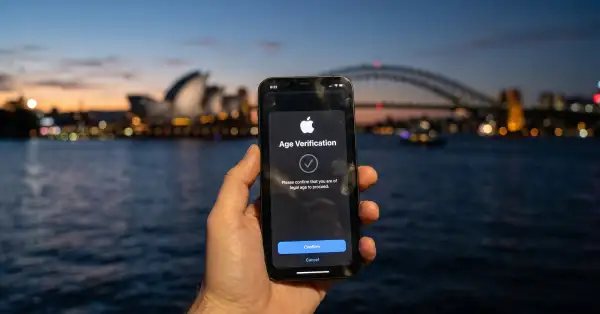
iOS 27.2 lets iPhone users prove they are adults with a selfie
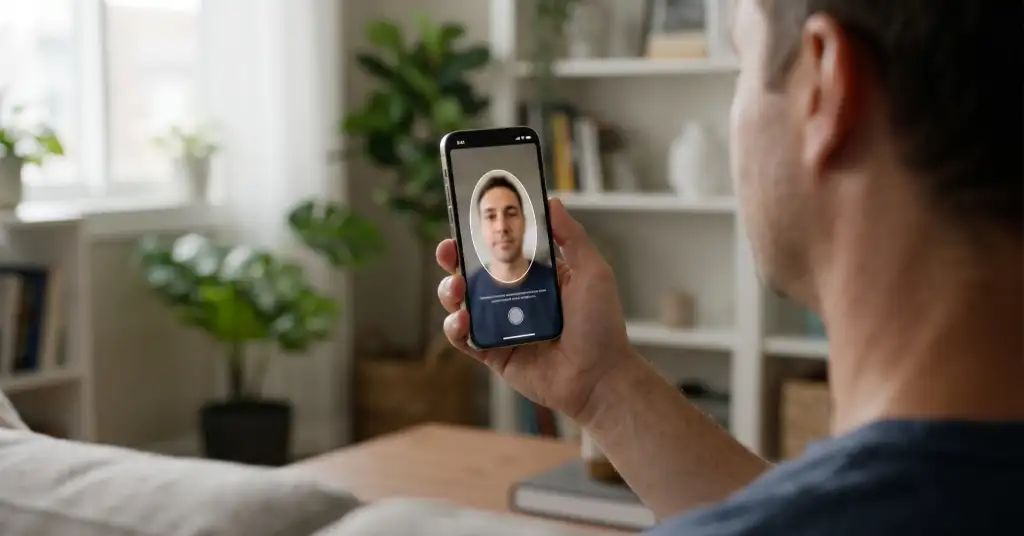
iOS 27.2, released on 26 October, lets iPhone users prove they are adults with a selfie. Until now, the age confirmation that Apple requires in some countries accepted a credit card or a scan of an ID. The new option is a short face scan, which an age-estimation model checks. According to Apple's support pages, the selfie option works in Australia, Brazil, Singapore and the UK.
How the selfie check works
The option appears when the iPhone or iPad asks you to confirm that you are an adult. Apple describes three steps:
- Choose the selfie option and tap Get Started.
- Hold the device in front of you with your face in the frame.
- Slowly turn your head right, left, up and down so the camera captures all four angles, then wait a moment while the model estimates your age.
Apple asks for even lighting and no masks, hats or sunglasses. If the selfie fails, the user can try again or switch to another method. Confirmation is needed only once.
What Apple says happens to the photo
According to Apple, the images are analysed by age-estimation models that run both on the device and on Private Cloud Compute, its own cloud servers, and the results are combined on the phone. Apple says the selfie "isn't accessible to anyone, not even Apple" during analysis and is deleted once the age is confirmed. These are the company's own statements, and users have no way to check them.
ID scans are handled differently. Apple says it and its service providers use the image of an ID to confirm age and prevent fraud, and keep it "for a short period of time" before deleting it.
Where Apple asks for age, and what for
Apple says the requirements apply, where the law demands them, to Apple Accounts in Australia, Brazil, Singapore, South Korea, the UK and the US state of Texas. Apple does not list the selfie option for South Korea or Texas. Depending on the country, the request can appear when you:
- Create an account: setting up a new Apple Account.
- Update the system: installing a software update on the device.
- Change settings: trying to turn off certain safety settings.
- Get apps: downloading or buying apps rated 18+.
Apple may first check existing account data, such as a credit card on file or how long the account has existed. Other options are a personal credit card (debit and gift cards are not accepted) or a scan of a passport, driver's licence or national ID. Anyone who declines can keep using the phone but will not be able to download 18+ apps or switch off those safety settings.
To see whether your account is already confirmed, open Settings, tap your name, then Personal Information and Age Confirmation.
Age checks move into the account
The rules follow the country or region of the Apple Account rather than the network the phone is connected to. Once confirmed, the account itself carries proof of age, and other services are starting to rely on it. In Australia, Pornhub has reopened only to iPhone users verified by Apple, while everyone else still sees a restricted version. In Europe, Apple CEO Tim Cook has backed an EU law that would bring age checks to app stores.