Best VPN routers 2026: comparison, prices and setup
A VPN on the router covers every device at home at once, including the TV, the game console and smart speakers. We compared 14 models on VPN speed, firmware and price in the US and Europe, and show how to pick a country and switch the VPN on.

The short version
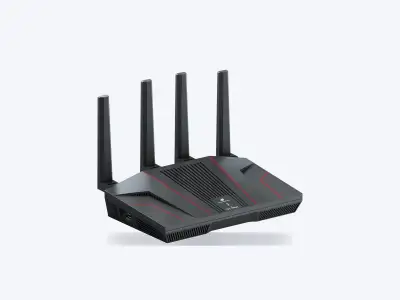
Best VPN routers by category
In each category we pick the winner on quality score, price and who the router suits. "Claimed" means the speed comes from the manufacturer, "tests" means independent measurements. Prices as of 5 October 2026.
Home
Your main router: it runs the home Wi-Fi and sends all household traffic through the VPN.
-
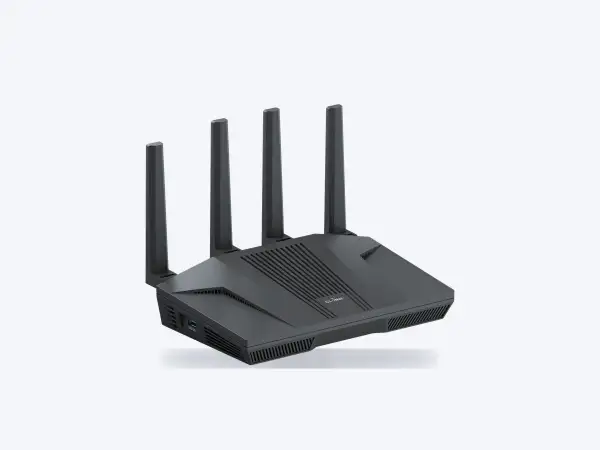 Best choice
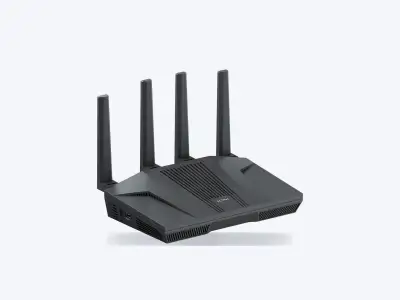
GL.iNet Flint 2GL-MT6000
- Quality
- 8.2/10
- WireGuard
- 900Mbps
- claimed
- Price
- $169.99
- €165.37
More details
- Why
- Up to 900 Mbps over WireGuard and built-in VPN services for about $170.
- Not for
- Anyone who wants Wi-Fi 7 or VPN at gigabit speed.
$169.99€165.37
- Wi-Fi
- Wi-Fi 6 AX6000
- WireGuard
- up to 900 Mbps claimed
- OpenVPN
- up to 880 Mbps claimed
- Pro: Best balance of VPN speed and price
- Con: Runs warm under VPN load
Any other service (e.g. Proton VPN, ExpressVPN, CyberGhost): via a WireGuard or OpenVPN config file
-
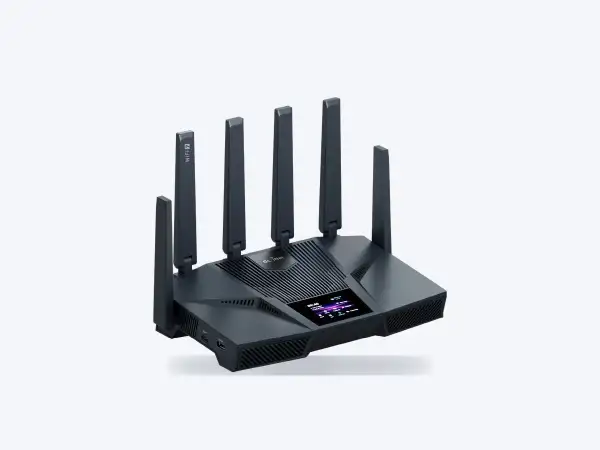 Maximum speed
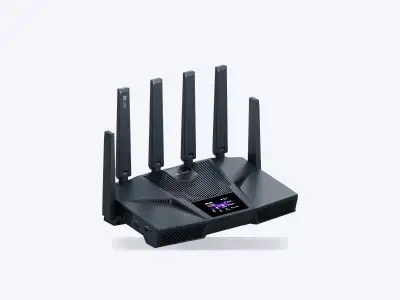
GL.iNet Flint 4GL-BE14000
- Quality
- 9.0/10*
- WireGuard
- 1.5Gbps
- claimed
- Price
- $369.99
- €386.22
More details
- Why
- The fastest VPN here: up to 1.5 Gbps on WireGuard and OpenVPN. For gigabit plans when budget is no object.
- Not for
- Plans up to 500 Mbps: the Flint 2 handles them for half the price.
$369.99€386.22
* provisional score: no independent tests yet
- Wi-Fi
- Wi-Fi 7 tri-band BE14000
- WireGuard
- up to 1.5 Gbps claimed
- OpenVPN
- up to 1.5 Gbps claimed
- Pro: Fastest VPN on paper
- Con: New: few independent tests so far
Any other service (e.g. Proton VPN, ExpressVPN, CyberGhost): via a WireGuard or OpenVPN config file
-
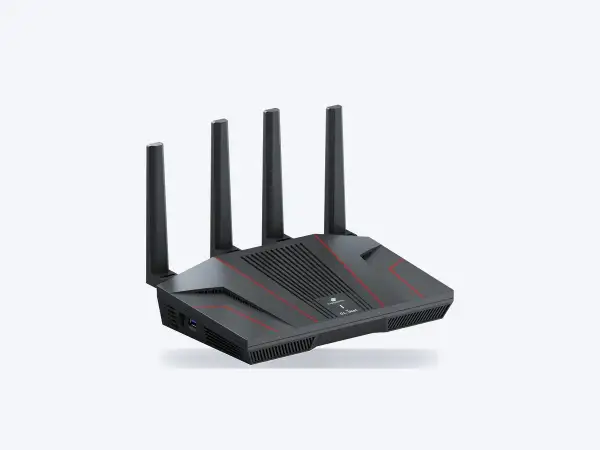 Easiest
ExpressVPN Fortifybased on GL-MT6000
- Quality
- 8.0/10
- WireGuard
- 900Mbps
- claimed
- Price
- $199.99
Built-in VPN servicesMore details
- Why
- ExpressVPN is built in and a year of it is included: pick a country from a list, no config files.
- Not for
- Anyone using another VPN service: the built-in client works only with ExpressVPN.
$199.99Not sold in the EU yet
- Wi-Fi
- Wi-Fi 6 AX6000
- WireGuard
- up to 900 Mbps claimed
- OpenVPN
- none
- Pro: 12 months of ExpressVPN included, set up in a few clicks
- Con: Built-in VPN works only with an ExpressVPN subscription
Other models in this category
-
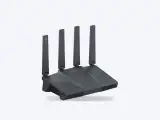 GL.iNet Flint 3GL-BE9300WireGuard 680 Mbps$209.99
7.8/10 Quality
GL.iNet Flint 3GL-BE9300WireGuard 680 Mbps$209.99
7.8/10 Quality
$209.99€211.76
- Wi-Fi
- Wi-Fi 7 tri-band BE9300
- WireGuard
- up to 680 Mbps claimed
- OpenVPN
- up to 680 Mbps claimed
- Pro: Wi-Fi 7 at a moderate price
- Con: VPN is slower than on the Flint 2
Built-in VPN servicesAny other service (e.g. Proton VPN, ExpressVPN, CyberGhost): via a WireGuard or OpenVPN config file
-
 ASUS RT-BE88UWireGuard no data $349.99
7.7/10 Quality
ASUS RT-BE88UWireGuard no data $349.99
7.7/10 Quality
$349.99from €246.65
- Wi-Fi
- Wi-Fi 7 BE7200
- WireGuard
- no vendor figure
- OpenVPN
- no vendor figure
- Pro: Surfshark and NordVPN built into VPN Fusion
- Con: Dual-band only, no 6 GHz
Built-in VPN servicesAny other service (e.g. Proton VPN, ExpressVPN, CyberGhost): via a WireGuard or OpenVPN config file
-
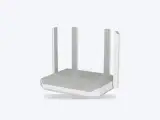 Keenetic TitanKN-1812WireGuard 900 Mbps€199.00
7.5/10* Quality
Keenetic TitanKN-1812WireGuard 900 Mbps€199.00
7.5/10* Quality
Not sold in the US€199.00
* provisional score: no independent tests yet
- Wi-Fi
- Wi-Fi 7 BE7200
- WireGuard
- up to 900 Mbps claimed
- OpenVPN
- no vendor figure
- Pro: Wi-Fi 7, a 10G port and WireGuard up to 900 Mbps
- Con: No built-in VPN services, config files only
Built-in VPN servicesNone built in. Any service: via a WireGuard or OpenVPN config file
-
 TP-Link Archer AX73WireGuard no data $116.99
5.2/10 Quality
TP-Link Archer AX73WireGuard no data $116.99
5.2/10 Quality
$116.99€93.74
- Wi-Fi
- Wi-Fi 6 AX5400
- WireGuard
- no data
- OpenVPN
- no data
- Pro: Cheap, VPN client in stock firmware
- Con: No built-in VPN services
Built-in VPN servicesNone built in. Any service: via an OpenVPN or WireGuard config file, depending on firmware
Travel
Compact routers for hotels and rentals: they join the local network and keep your devices behind the VPN.
-
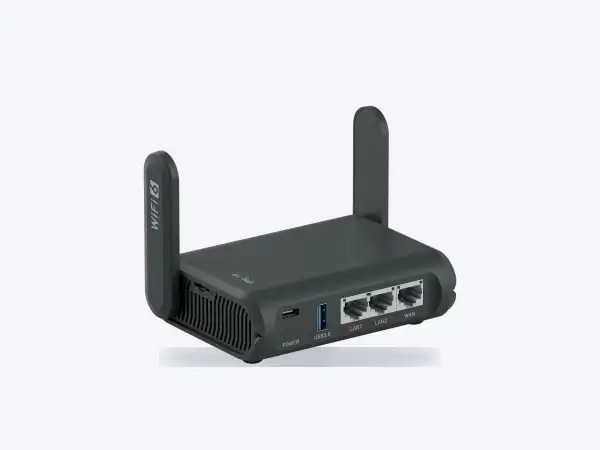 Best choice
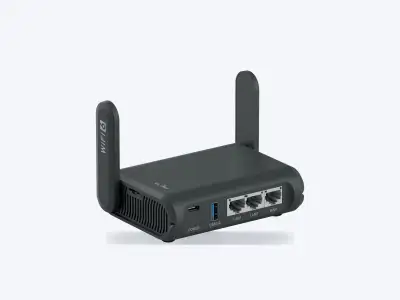
GL.iNet Slate AXGL-AXT1800
- Quality
- 6.6/10
- WireGuard
- 550Mbps
- claimed
- Price
- $119.99
- €124.03
More details
- Why
- Up to 550 Mbps on WireGuard and 560 on OpenVPN: almost twice as fast as the Beryl AX for only $21 more.
- Not for
- Anyone who wants Wi-Fi 7 or a 2.5G port: the Slate AX has Wi-Fi 6 and gigabit ports.
$119.99€124.03
- Wi-Fi
- Wi-Fi 6 AX1800
- WireGuard
- up to 550 Mbps claimed
- OpenVPN
- up to 560 Mbps claimed
- Pro: Fast VPN on the road, OpenVPN included
- Con: Wi-Fi 6 and gigabit ports only
Any other service (e.g. Proton VPN, ExpressVPN, CyberGhost): via a WireGuard or OpenVPN config file
-
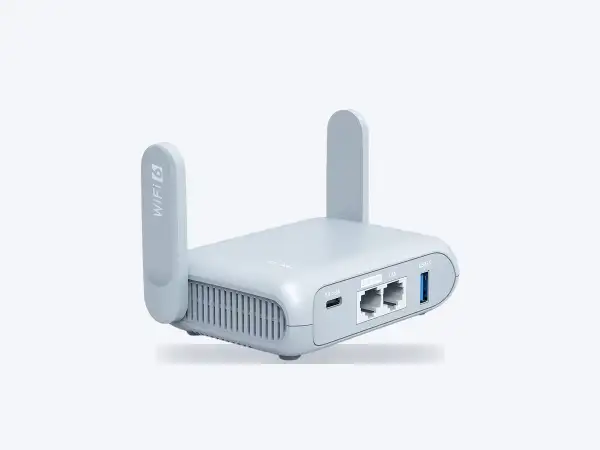 Most affordable
GL.iNet Beryl AXGL-MT3000
- Quality
- 6.0/10
- WireGuard
- 300Mbps
- claimed
- Price
- $98.99
- €102.85
More details
- Why
- The cheapest in the category, with a physical switch that turns VPN on.
- Not for
- Fast hotel or office connections: VPN tops out at about 300 Mbps.
$98.99€102.85
- Wi-Fi
- Wi-Fi 6 AX3000
- WireGuard
- up to 300 Mbps claimed
- OpenVPN
- up to 150 Mbps claimed
- Pro: Cheap, VPN on a physical switch
- Con: Modest VPN speed
Any other service (e.g. Proton VPN, ExpressVPN, CyberGhost): via a WireGuard or OpenVPN config file
Other models in this category
-
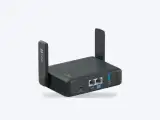 GL.iNet Slate 7GL-BE3600WireGuard 490 Mbps$159.99
6.6/10 Quality
GL.iNet Slate 7GL-BE3600WireGuard 490 Mbps$159.99
6.6/10 Quality
$159.99€167.38
- Wi-Fi
- Wi-Fi 7 dual-band BE3600
- WireGuard
- up to 490 Mbps claimed
- OpenVPN
- no data
- Pro: Touchscreen and Wi-Fi 7 in your pocket
- Con: Early firmware was buggy
Built-in VPN servicesAny other service (e.g. Proton VPN, ExpressVPN, CyberGhost): via a WireGuard or OpenVPN config file
Gateways without Wi-Fi
A small box that sits in front of your existing router or mesh system and turns on VPN for the whole network.
-
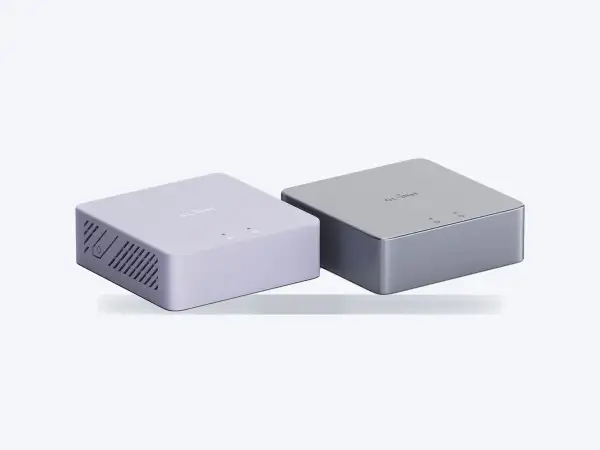 Cheapest VPN for the whole network
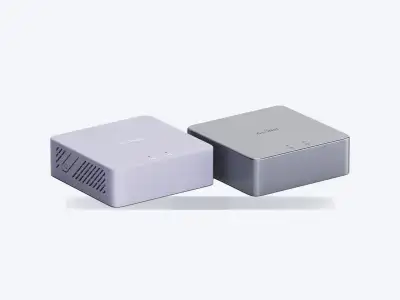
GL.iNet Brume 2GL-MT2500 / GL-MT2500A
- Quality
- 6.1/10
- WireGuard
- 355Mbps
- claimed
- Price
- $89.99
- €93.77
More details
- Why
- About $90 for VPN on every device at home: it sits in front of any router and handles up to 355 Mbps on WireGuard.
- Not for
- Plans faster than 350 Mbps, or anyone who wants Wi-Fi in the same box.
$89.99€93.77
- Wi-Fi
- none, needs an access point
- WireGuard
- up to 355 Mbps claimed
- OpenVPN
- up to 150 Mbps claimed
- Pro: Cheap VPN gateway for the network you already have
- Con: No Wi-Fi: needs a separate router or access point
Any other service (e.g. Proton VPN, ExpressVPN, CyberGhost): via a WireGuard or OpenVPN config file
-
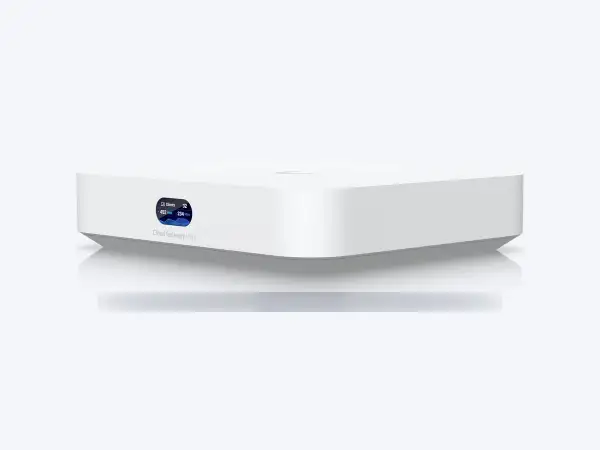 If your home already runs UniFi
Ubiquiti UniFi Cloud Gateway Ultra
- Quality
- 6.1/10
- WireGuard
- 500Mbps
- claimed
- Price
- $129
- €117.81
Built-in VPN servicesMore details
- Why
- Fits into UniFi: the tunnel and per-device rules live in the same app.
- Not for
- Homes without UniFi access points: the gateway has no Wi-Fi of its own.
$129€117.81
- Wi-Fi
- none, needs an access point
- WireGuard
- up to 500 Mbps claimed
- OpenVPN
- yes
- Pro: Polished UniFi ecosystem
- Con: No built-in VPN services
None built in. Any service: via a WireGuard or OpenVPN config file
Enthusiasts
Powerful and flexible, but with no built-in VPN services: you build the tunnel yourself.
Only if you are ready to configure everything by hand.
-
 OpenWrt OneWireGuard 370-400 Mbps$145.99
5.9/10 Quality
OpenWrt OneWireGuard 370-400 Mbps$145.99
5.9/10 Quality
$145.99€128.99
- Wi-Fi
- Wi-Fi 6
- WireGuard
- 370-400 Mbps tests
- OpenVPN
- yes
- Pro: Pure OpenWrt, full control
- Con: Everything is set up by hand
Built-in VPN servicesNone built in. Any service: via a WireGuard or OpenVPN config file
-
 MikroTik hAP ax3WireGuard ~300 Mbps$139
5.5/10 Quality
MikroTik hAP ax3WireGuard ~300 Mbps$139
5.5/10 Quality
$139€139.90
- Wi-Fi
- Wi-Fi 6
- WireGuard
- about 300 Mbps tests
- OpenVPN
- yes
- Pro: RouterOS can do almost anything
- Con: Hard for beginners
Built-in VPN servicesNone built in. Any service: via a WireGuard or OpenVPN config file
Photos: manufacturers. OpenWrt One: BananaPi, CC BY-SA 4.0.
Compare all 14 models
Sorted by category, then by quality score. Prices checked on 5 October 2026: US without sales tax, Germany including VAT.
| Model | Category | Quality | WireGuard | OpenVPN | VPN services | Price, $ | Price, € |
|---|---|---|---|---|---|---|---|
| GL.iNet Flint 4 (GL-BE14000) | Home | 9.0* | up to 1.5 Gbps claimed | up to 1.5 Gbps claimed | $369.99 | €386.22 | |
| GL.iNet Flint 2 (GL-MT6000) | Home | 8.2 | up to 900 Mbps claimed | up to 880 Mbps claimed | $169.99 | €165.37 | |
| ExpressVPN Fortify | Home | 8.0 | up to 900 Mbps claimed | none | $199.99 | - | |
| GL.iNet Flint 3 (GL-BE9300) | Home | 7.8 | up to 680 Mbps claimed | up to 680 Mbps claimed | $209.99 | €211.76 | |
| ASUS RT-BE88U | Home | 7.7 | no vendor figure | no vendor figure | $349.99 | from €246.65 | |
| Keenetic Titan (KN-1812) | Home | 7.5* | up to 900 Mbps claimed | no vendor figure | config file only | - | €199.00 |
| TP-Link Archer AX73 | Home | 5.2 | no data | no data | config file only | $116.99 | €93.74 |
| GL.iNet Slate 7 (GL-BE3600) | Travel | 6.6 | up to 490 Mbps claimed | no data | $159.99 | €167.38 | |
| GL.iNet Slate AX (GL-AXT1800) | Travel | 6.6 | up to 550 Mbps claimed | up to 560 Mbps claimed | $119.99 | €124.03 | |
| GL.iNet Beryl AX (GL-MT3000) | Travel | 6.0 | up to 300 Mbps claimed | up to 150 Mbps claimed | $98.99 | €102.85 | |
| GL.iNet Brume 2 (GL-MT2500 / GL-MT2500A) | Gateways without Wi-Fi | 6.1 | up to 355 Mbps claimed | up to 150 Mbps claimed | $89.99 | €93.77 | |
| Ubiquiti UniFi Cloud Gateway Ultra | Gateways without Wi-Fi | 6.1 | up to 500 Mbps claimed | yes | config file only | $129 | €117.81 |
| OpenWrt One | Enthusiasts | 5.9 | 370-400 Mbps tests | yes | config file only | $145.99 | €128.99 |
| MikroTik hAP ax3 | Enthusiasts | 5.5 | about 300 Mbps tests | yes | config file only | $139 | €139.90 |
* provisional score: no independent tests yet
Best VPN for your router: built-in or config file
Each card lists the VPN services built into that router. We review the services themselves in our VPN catalog.
Do you need a VPN router?
- Yes, if you want VPN on a TV, game console or smart speaker that cannot run a VPN app, or you want every device at home covered while using just one slot of your subscription.
- No, if you only protect one or two phones or laptops: the app is enough, and split tunneling lets some apps or sites bypass the tunnel.
- Check the speed: the router becomes the bottleneck when your internet plan is faster than its WireGuard figure. The Flint 2 handles up to 900 Mbps, the Beryl AX up to 300 Mbps (both claimed by the maker).
How to choose, and can you keep your current router?
- Speed. Compare your internet plan with the WireGuard figure in the comparison table. If the plan is faster, pick a faster model.
- Built-in service or config file. Built in means you log in and pick a country from a list. Any other service works through an OpenVPN or WireGuard config file.
- Type. A home router replaces your current one, a travel router goes in your bag, and a gateway without Wi-Fi sits in front of the router or mesh you already have.
- Hardware. Wi-Fi 6 is enough for most homes; Wi-Fi 7 and 2.5G ports matter on fast fiber plans.
- Protection and updates. Look for a kill switch that blocks traffic if the VPN drops, and run a DNS leak test after setup. Pick a maker that patches quickly: this year TP-Link Archer routers and MikroTik RouterOS had serious holes, and cheap no-name routers such as Zbtlink shipped with factory backdoors.
If you want to keep your current router:
- It already has a VPN client (ASUS, Keenetic, some TP-Link models): download a config file from your VPN service and upload it to the router.
- No VPN client, as on a typical ISP router: put a gateway in front of it, such as the Brume 2 or the UniFi Cloud Gateway Ultra.
- Comfortable with flashing firmware: OpenWrt has a full VPN client, and the OpenWrt One ships with it.
- Want your own server instead of a VPN service: set up WireGuard on a VPS or OpenVPN on a VPS and connect the router to it.
How it looks in practice
Three firmwares, three approaches. Screenshots come from the official guides; click one to open it full size.
Example: Surfshark on a GL.iNet router
-
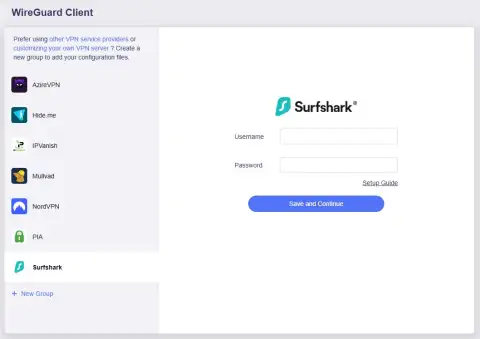
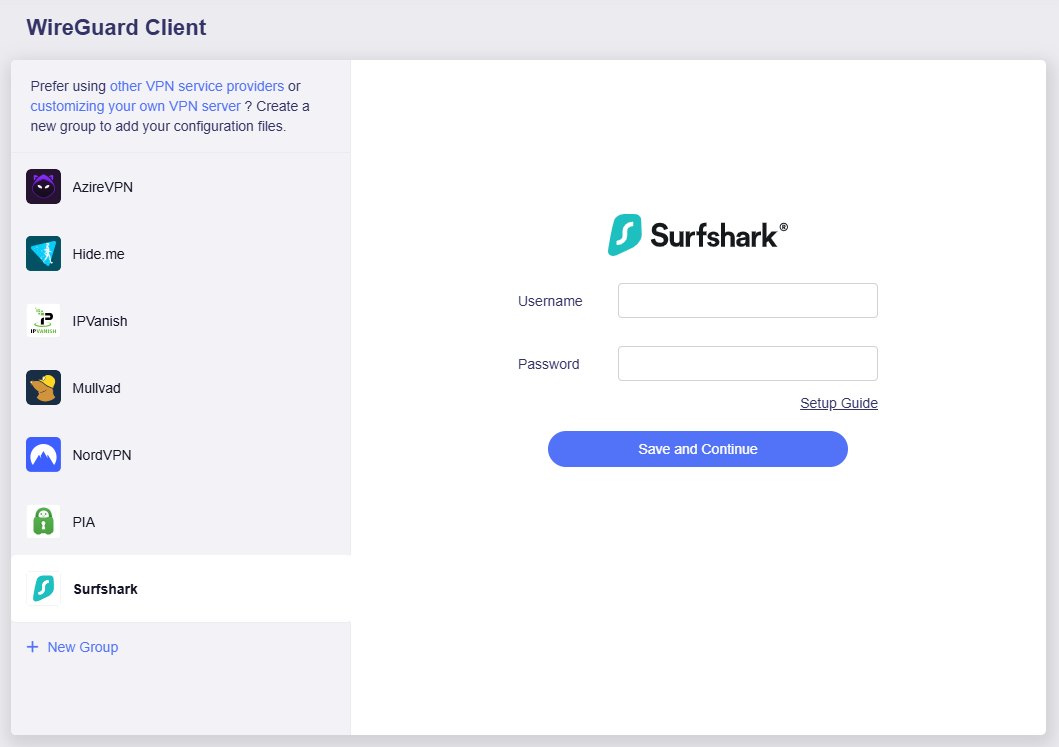
Step 1. Open the admin panel
Connect to the router's Wi-Fi and open 192.168.8.1 or the GL.iNet app. Go to VPN > WireGuard Client, pick your provider (Surfshark, NordVPN, PIA, Mullvad and others) and log in.
 open full size
Screenshot: GL.iNet docs -
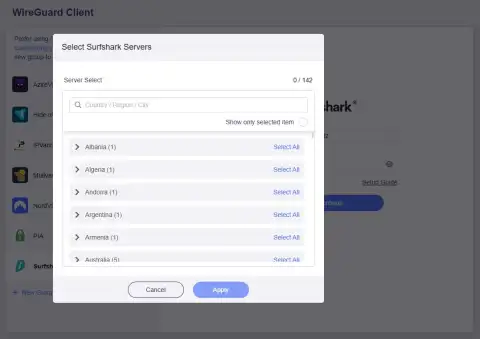
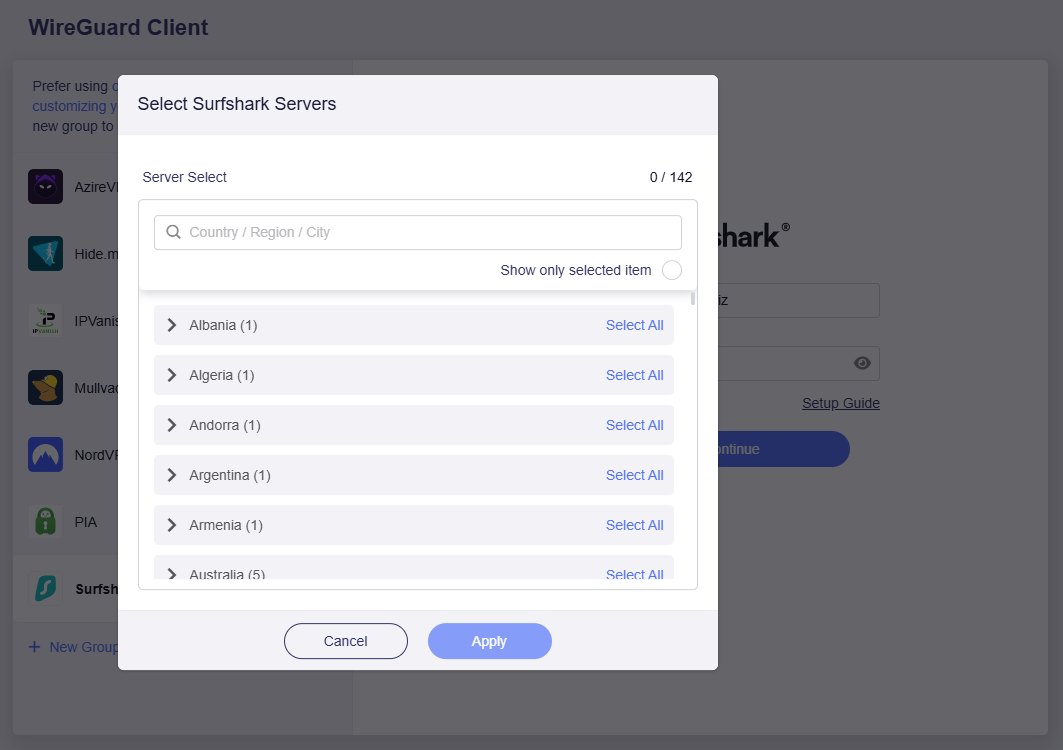
Step 2. Pick countries
The router loads the provider's server list. Tick the countries or cities you need.
 open full size
Screenshot: GL.iNet docs -
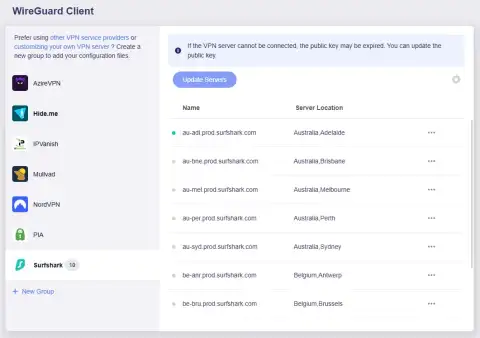
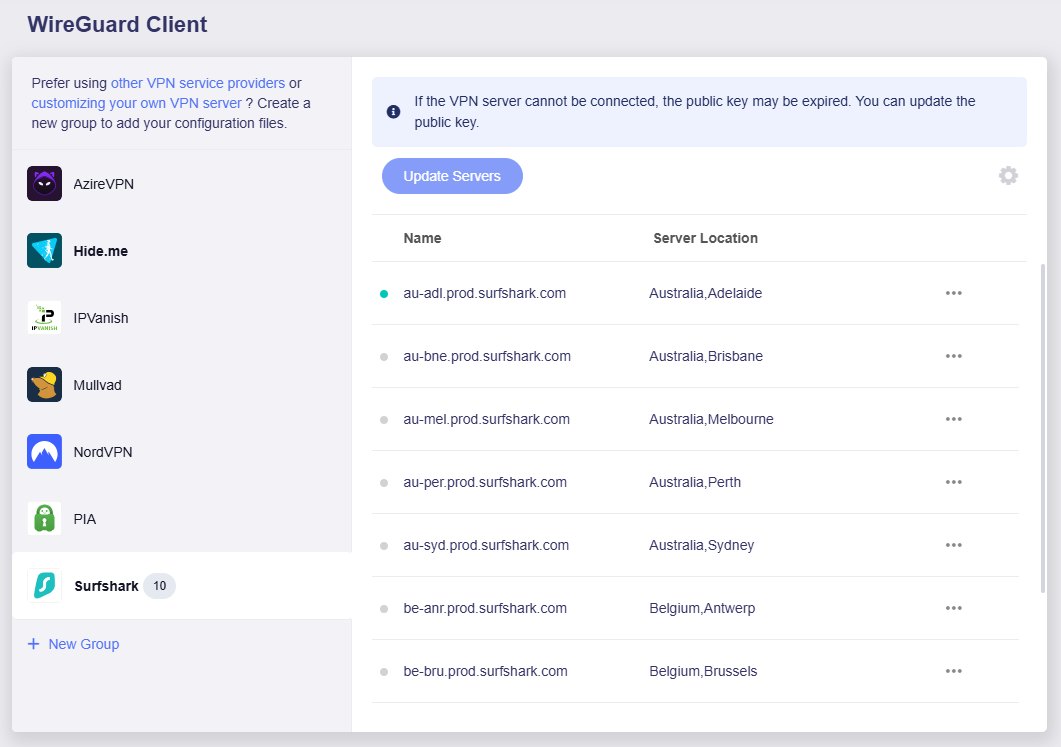
Step 3. Connect
Choose a server in the list and press connect. You can switch country the same way at any time.
 open full size
Screenshot: GL.iNet docs -
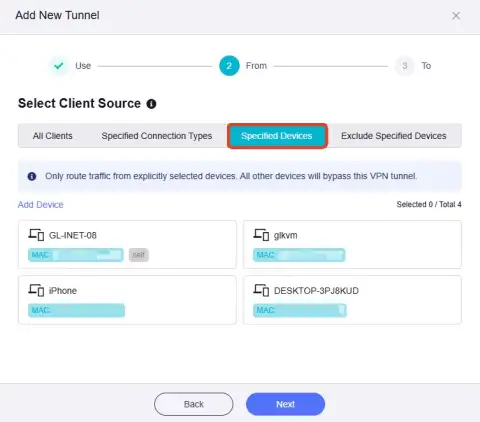
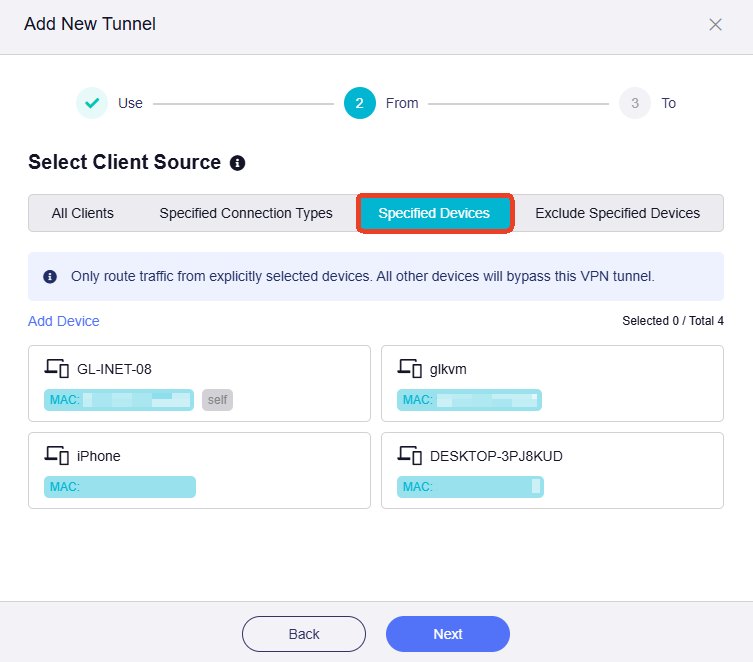
Step 4. Choose who uses the VPN
In VPN Dashboard you can send only selected devices through the tunnel, such as the TV, or exclude some of them.
 open full size
Screenshot: GL.iNet docs -
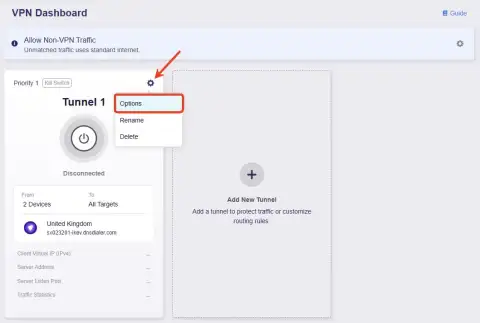
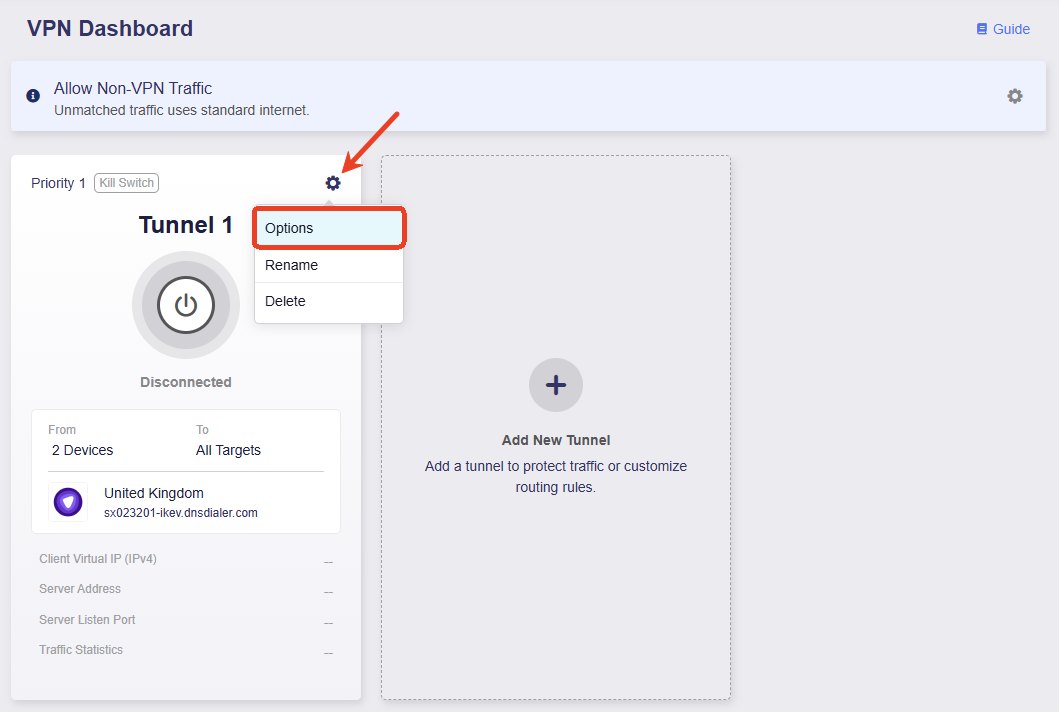
Step 5. Turn on the kill switch
Tunnel gear icon > Options. If the VPN drops, the router blocks traffic so nothing leaks outside the tunnel.
 open full size
Screenshot: GL.iNet docs -
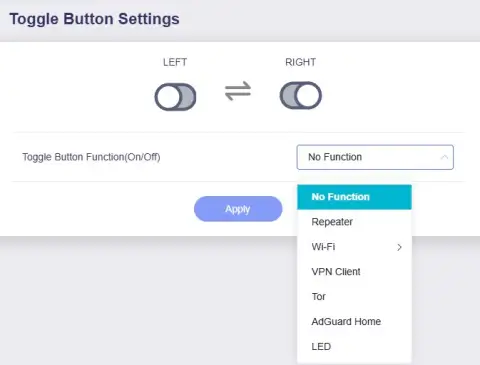
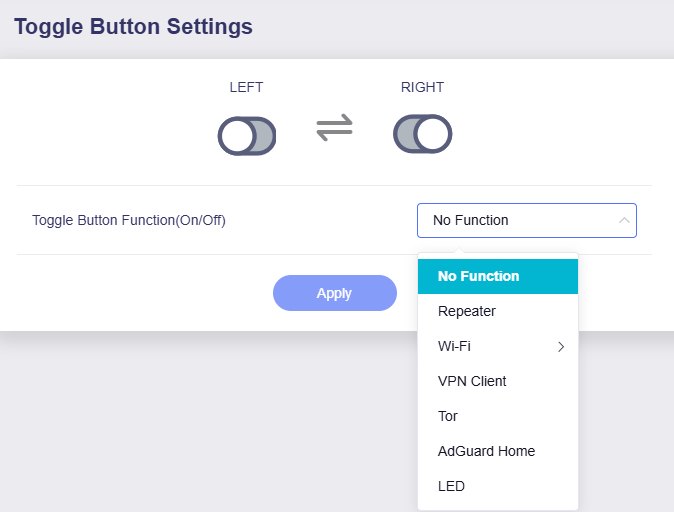
Step 6. Use the physical switch
On travel models such as the Beryl AX, assign the side switch to VPN Client in System > Toggle Button Settings.
 open full size
Screenshot: GL.iNet docs
Screenshot: GL.iNet docs
Example: NordVPN in VPN Fusion
-
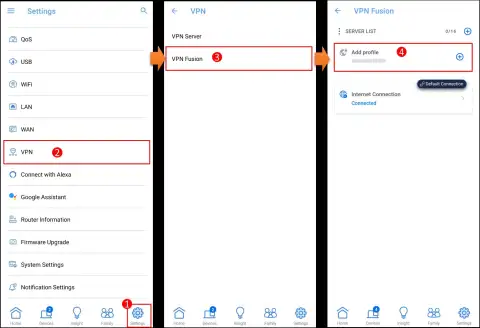
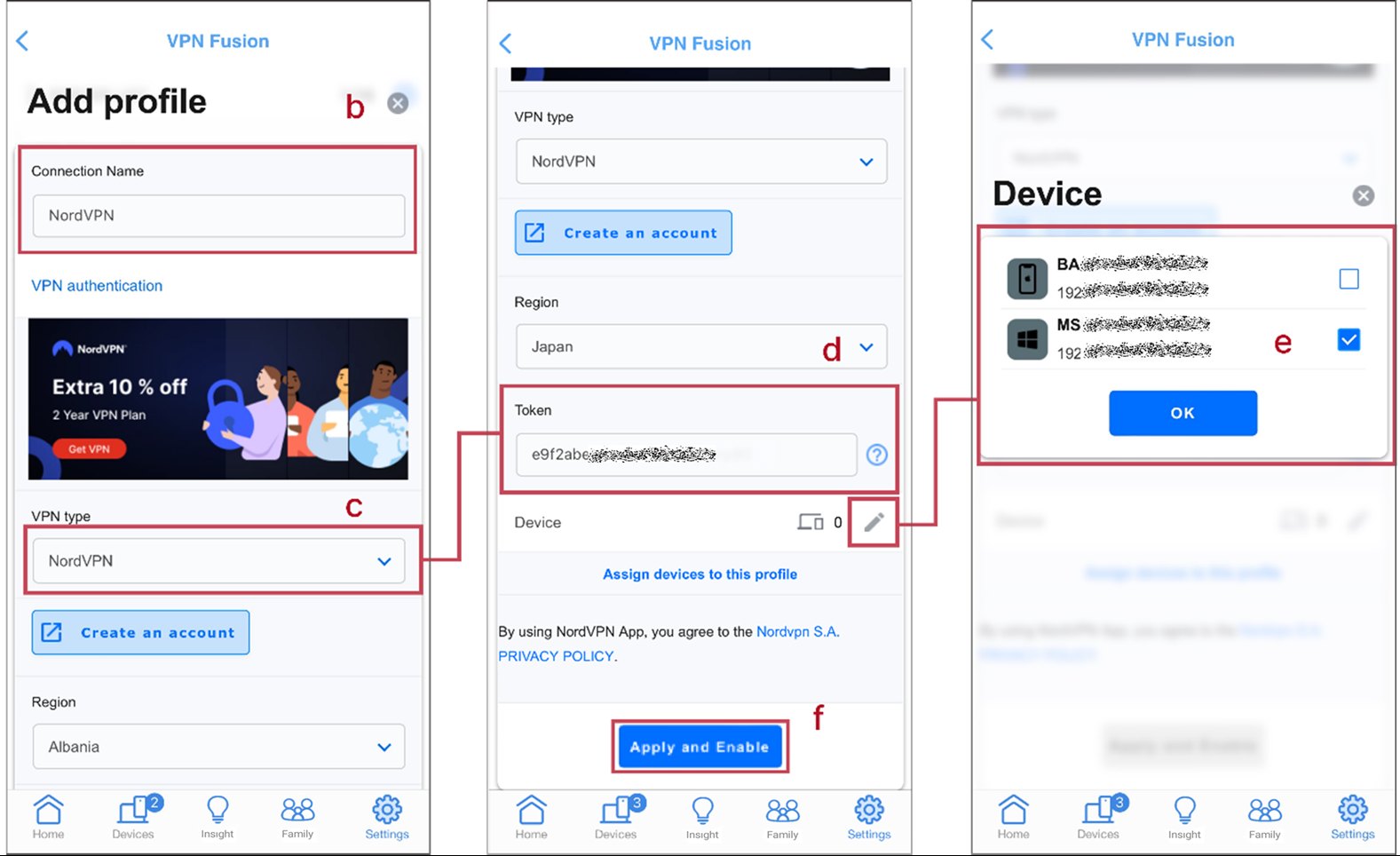
Step 1. Open VPN Fusion
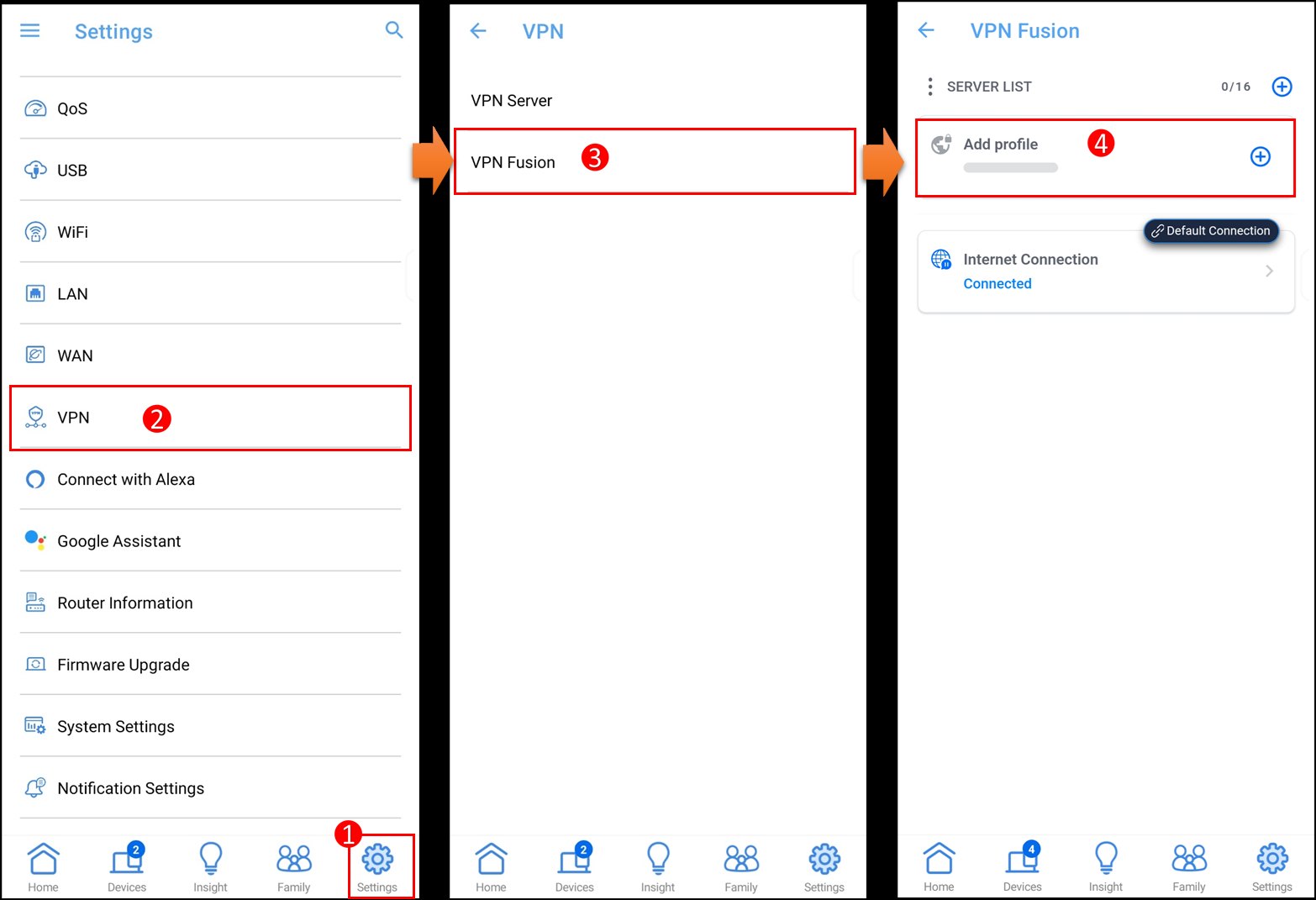
In the ASUS Router app or at router.asus.com: Settings > VPN > VPN Fusion > Add profile.
 open full size
Screenshot: ASUS FAQ -
Step 2. Get a token
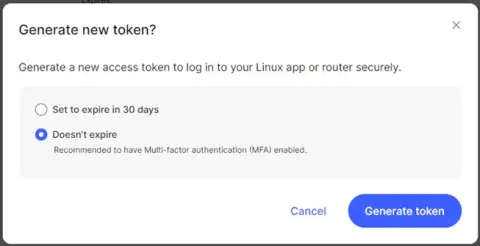
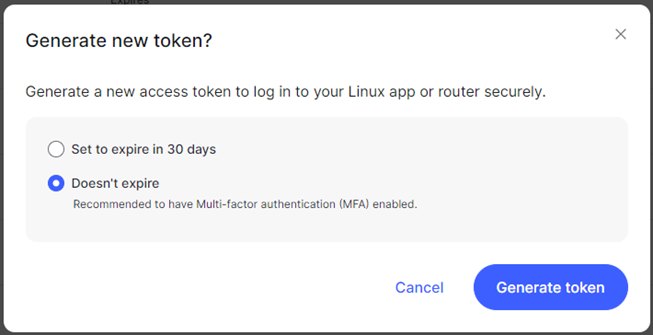
For NordVPN, generate an access token in Nord Account. Surfshark works the same way with its own credentials.
 open full size
Screenshot: ASUS FAQ -
Step 3. Fill in the profile
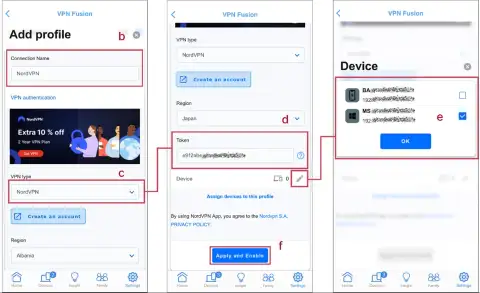
Choose NordVPN as the VPN type, pick the region (country) and paste the token. Then pick the devices that should use the VPN.
 open full size
Screenshot: ASUS FAQ -
Step 4. Apply to everything
Or apply the profile to all devices. For another country, create another profile and switch between them.
 open full size
Screenshot: ASUS FAQ

Screenshot: ASUS FAQ
Tunnels in ExpressVPN Fortify
-
Step 1. Open the ExpressVPN Dashboard
In the router panel, click Add VPN Tunnel.
 open full size
Screenshot: ExpressVPN -
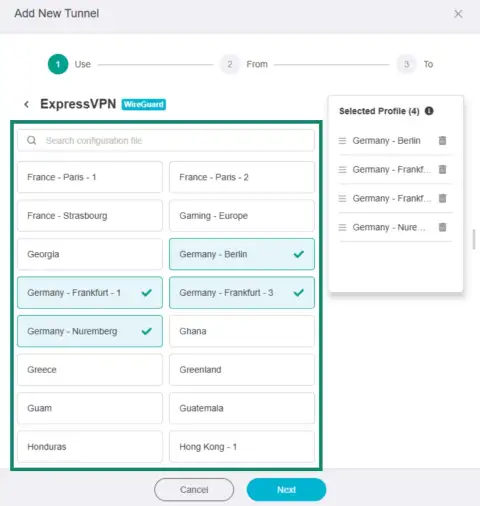
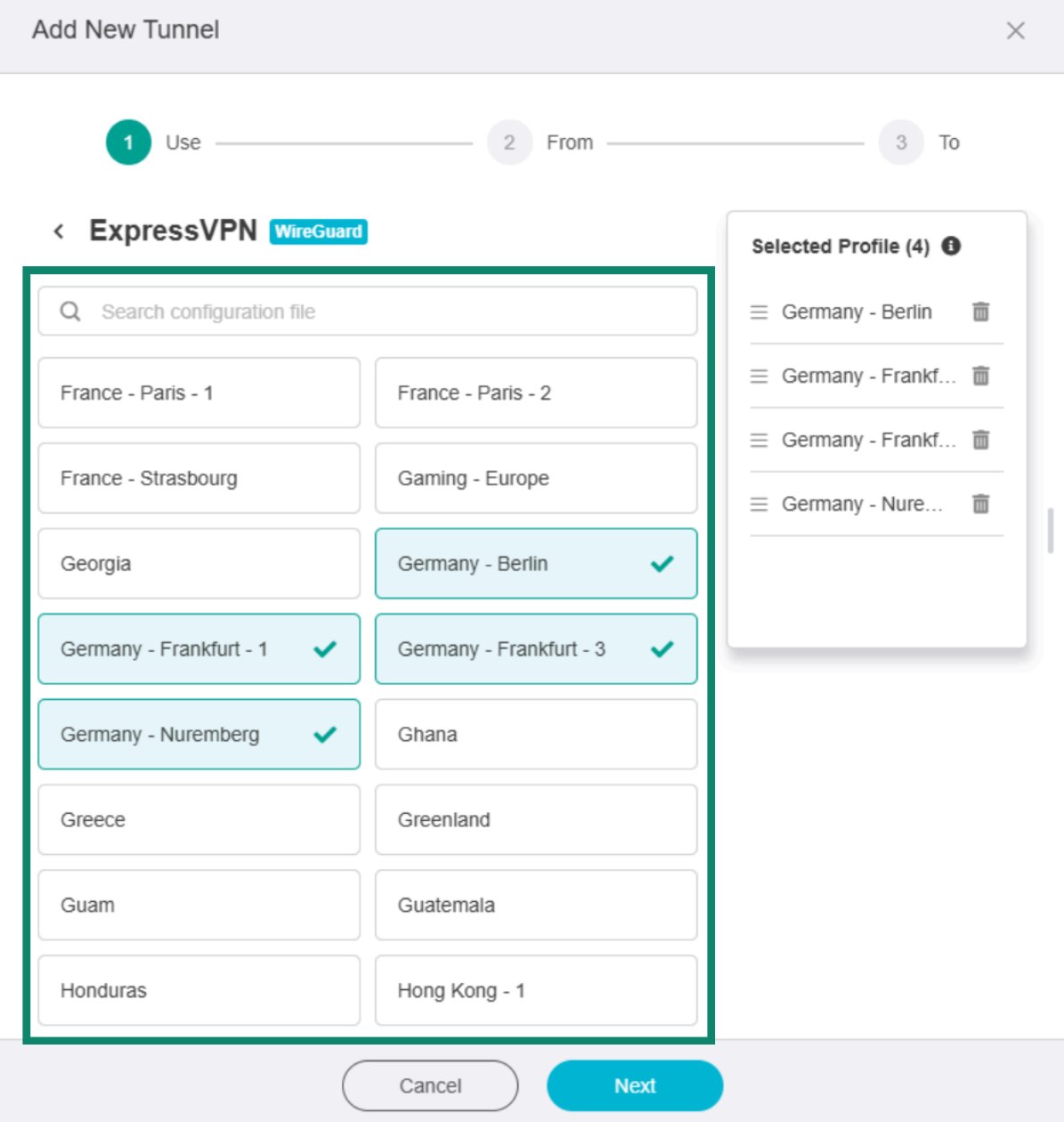
Step 2. Pick locations
Choose locations from the ExpressVPN list. Search by country to find one quickly.
 open full size
Screenshot: ExpressVPN -
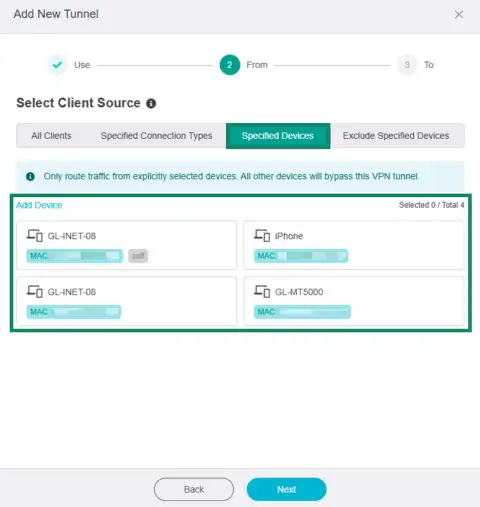
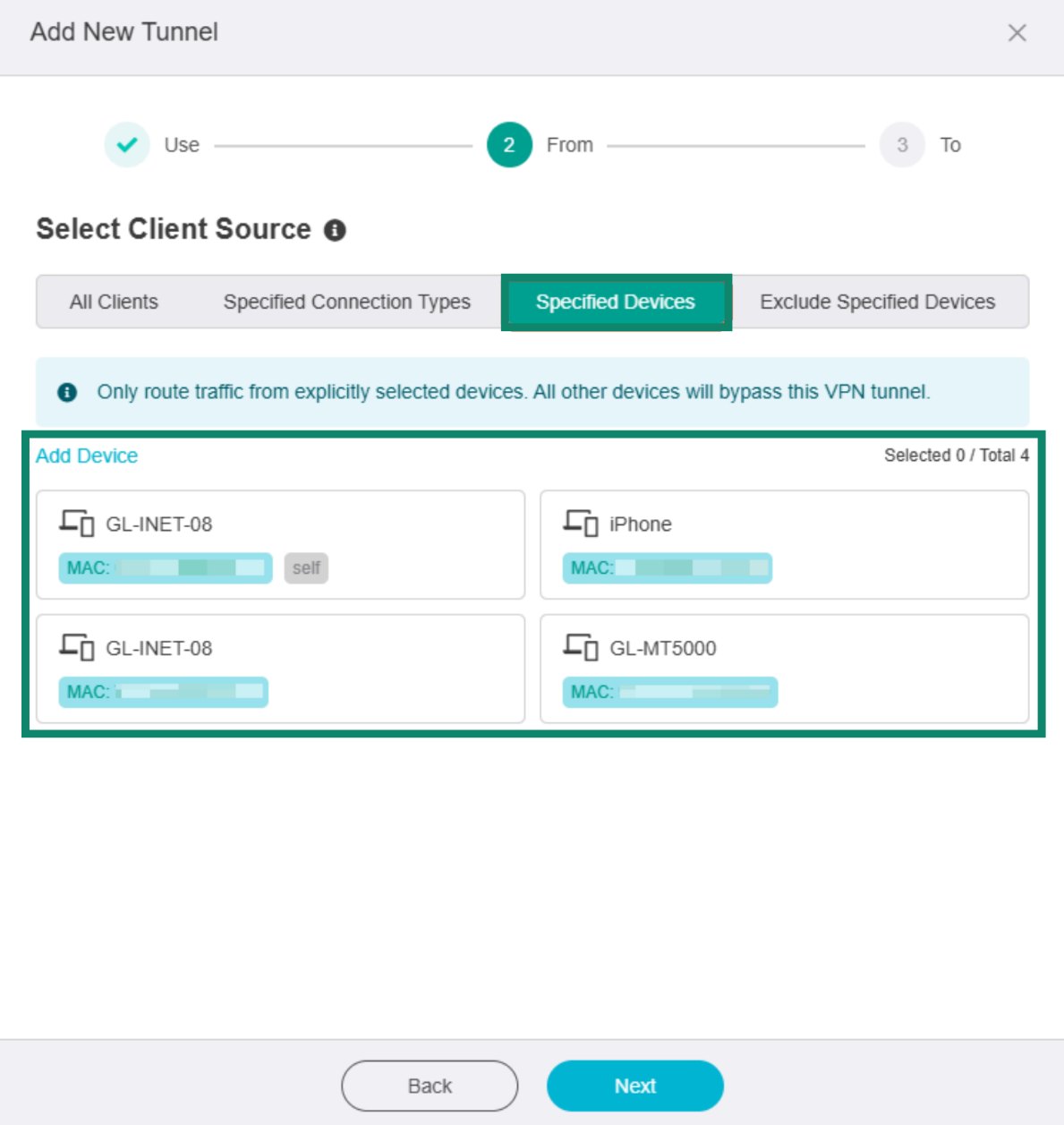
Step 3. Choose devices
Select which devices use this tunnel.
 open full size
Screenshot: ExpressVPN -
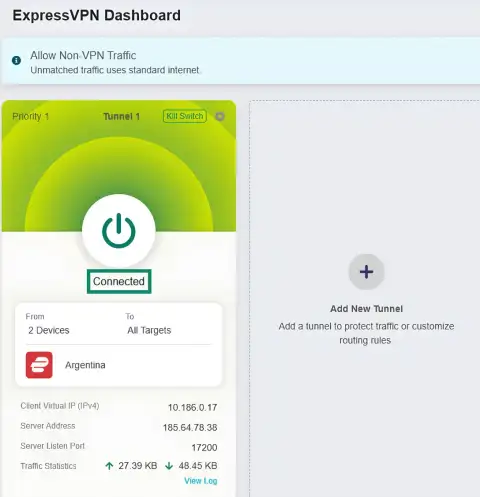
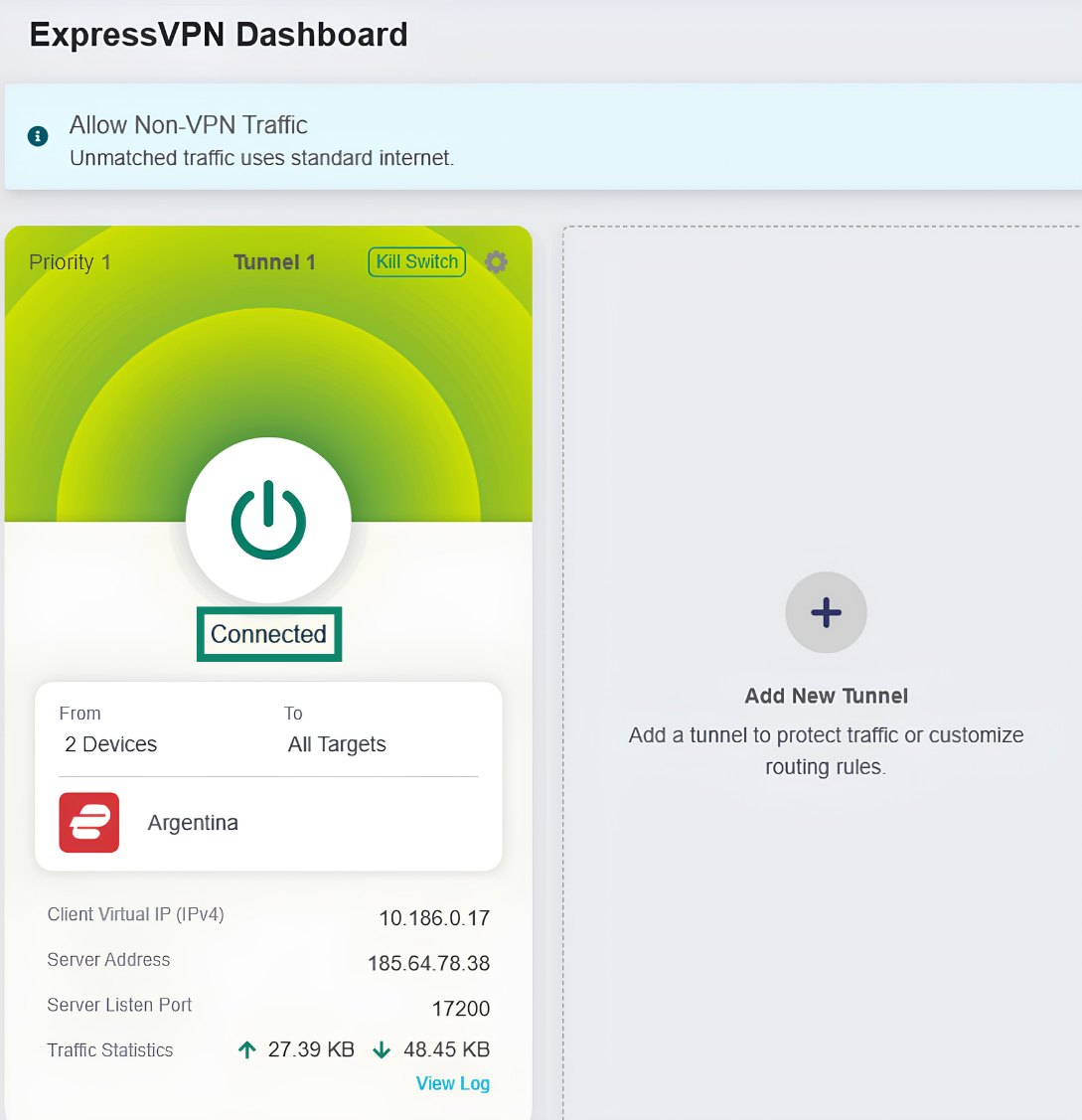
Step 4. Switch the tunnel on
Press the power button: the tunnel status changes to Connected.
 open full size
Screenshot: ExpressVPN -
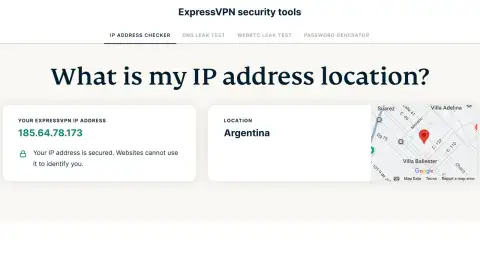
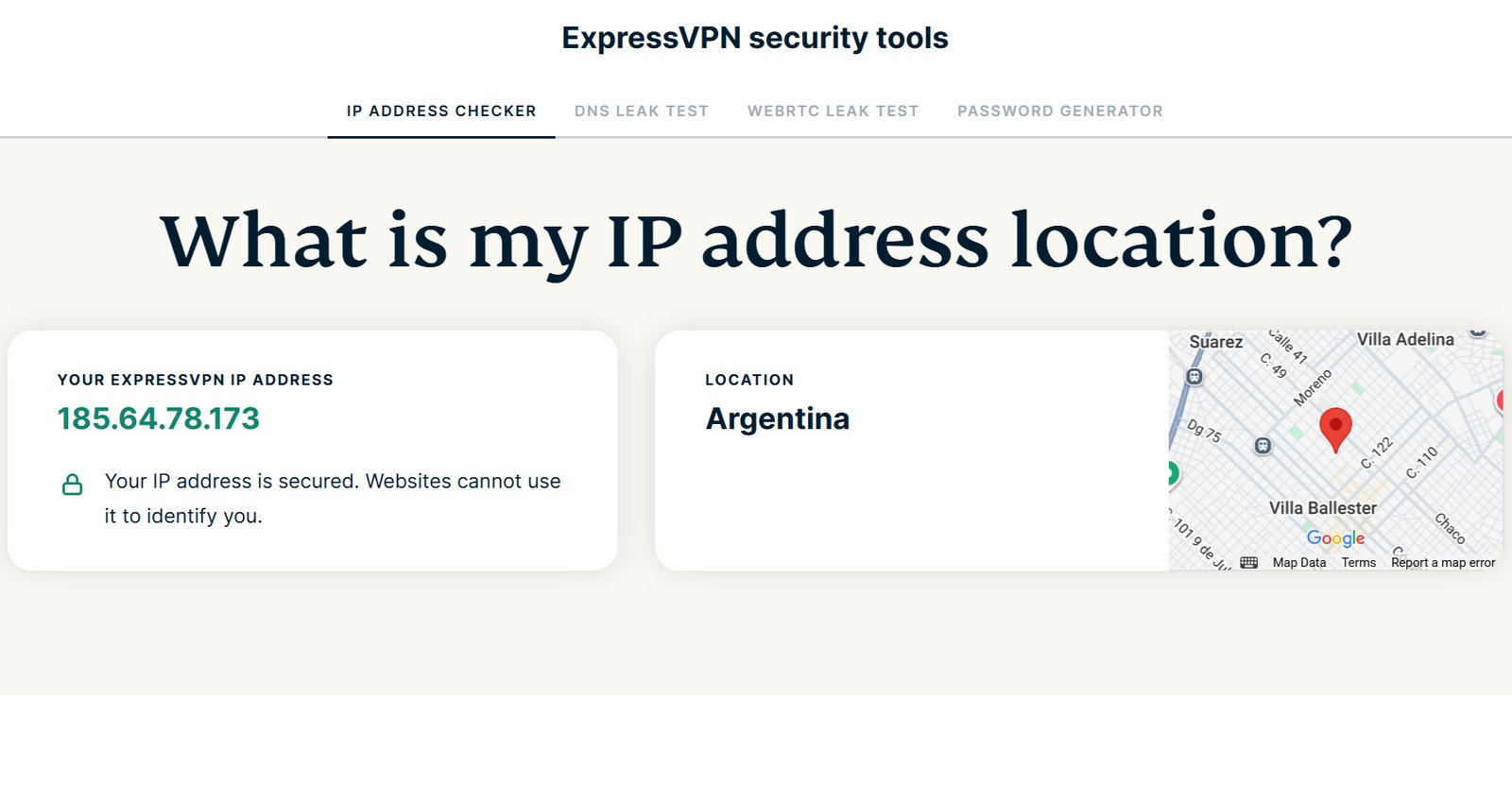
Step 5. Check your IP
Open the IP checker on the ExpressVPN site and make sure your address has changed.
 open full size
Screenshot: ExpressVPN

Screenshot: ExpressVPN
FAQ
VPN router or VPN app: which is better?
Will my internet get slower?
Can I send only some devices through the VPN?
Which protocol should I choose?
Do I need a special router for Proton VPN?
Can I use a VPN on my current router?
Do I still need a VPN subscription?
Can I use a VPN app and a VPN router at the same time?
Does a VPN router have a kill switch?
Which VPN router is best for travel?
How we scored
The quality score from 0 to 10 combines four criteria. Price is not part of it.
-
VPN speedWireGuard and OpenVPN, claimed and measured40%
-
Firmware and VPN clientkill switch, per-device rules, several tunnels, built-in services, open firmware25%
-
Hardware and Wi-FiCPU, Wi-Fi standard, ports20%
-
Reliability and updatesuser reports of heat and bugs, how regularly firmware ships15%
- Price is shown separately, in dollars and in euros. It helps pick the winner in a category but does not change the score.
- "Claimed" means the speed comes from the manufacturer. "Tests" means independent measurements by users and reviewers.
- Where there are no independent tests yet, the score is marked provisional. Right now that applies to the Flint 4 and the Keenetic Titan.
Sources
- GL.iNet docs: WireGuard Client
- GL.iNet docs: VPN Dashboard
- GL.iNet docs: Toggle Button Settings
- ASUS FAQ 1051215: NordVPN in VPN Fusion
- ASUS FAQ 1049833: Surfshark in VPN Fusion
- ExpressVPN: Introducing Fortify
- ExpressVPN: Configure tunnels on Fortify
- Proton VPN: How to install Proton VPN on a router
- Mullvad: Removing OpenVPN on 15 January 2026
- GL.iNet: Brume 2 (GL-MT2500/MT2500A)
- GL.iNet: Slate AX (GL-AXT1800)
- Keenetic: Titan (KN-1812)
- Keenetic help: WireGuard VPN
- Prices: the store pages the Buy buttons link to.