Britain lets 23 million GOV.UK One Login users sign in with a passkey instead of a password and SMS code
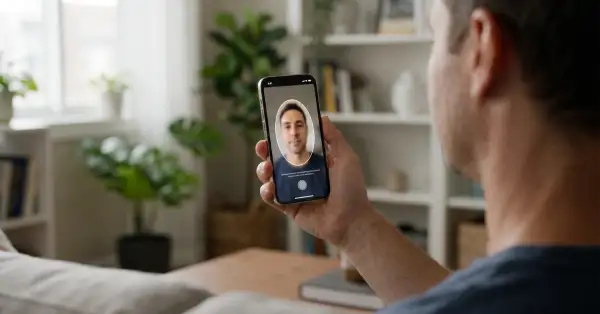
Britain has opened passkeys to everyone with a GOV.UK One Login account, the sign-in used for tax, State Pension, driving licence renewals and childcare support. From 14 September the more than 23 million people on the system can replace their password and the text-message code with the face scan, fingerprint or PIN that already unlocks their phone. The government says the trial of 300,000 users went well enough that nearly one in ten daily sign-ins already goes through a passkey, and that each of those saves an SMS: about 600 pounds a day off the bill. Passwords stay as an option, and, contrary to the impression the announcement gives, the guidance does spell out what happens when you lose the phone.
In brief
- A passkey is a cryptographic key pair created by your phone or computer for one site; the private half never leaves the device's credential manager and can't be typed into a fake page, which is why the National Cyber Security Centre calls it "highly phishing-resistant".
- Setting it up takes a screen lock and a recent device (iOS 16, Android 10, Windows 10 or macOS 13 and newer); the key is saved in Apple Passwords or Google Password Manager and syncs to your other devices there.
- The fallback stays: if the passkey doesn't work or the phone is gone, you sign in with the password and a security code, then remove the old passkey. That also means the account is still only as safe as that password path, so the code should come from an authenticator app rather than SMS where One Login allows it.
- One Login is the account Britain is quietly making the front door to the state, from the digital ID it now accepts for buying alcohol to HMRC; a stronger lock on it matters more than on most accounts.
What changed on 14 September
Passkeys had been in a limited trial since the summer; the Government Digital Service published the user guidance on 28 July. The announcement from the Department for Digital, Culture, Media and Sport, which now houses GDS, extends them to the whole user base. Sign-in with a passkey is "up to 8 times faster" than email, password and two-step code, the department says, and the biometric or PIN check happens on the device: "the biometric or PIN information used to unlock a passkey stays on the user's device and is not seen or stored by GOV.UK One Login". Digital Government Minister Stephanie Peacock framed it as convenience first, fraud second: "Nobody enjoys hunting for a forgotten password or waiting for a text message code just to check their tax return or renew a document." The NCSC's Jonathon Ellison put the security case: "Cyber criminals often look for the easiest route to access important accounts, which means login details remain a common target."
How it works on One Login, step by step
The mechanics are the FIDO2 standard that Apple, Google and Microsoft built into their operating systems in 2022. When you enrol, the device generates a key pair for account.gov.uk specifically. The public key goes to One Login; the private key stays in the credential manager and is released only after the device confirms it's you by whatever unlocks it. A phishing site on a look-alike domain gets nothing, because the key is bound to the real one. The GDS guidance is precise about the practicalities.
- Sign in, open "Manage your sign in details", find "Set up a passkey", enter your password, then follow the device prompt for face, fingerprint or PIN. You'll get an email saying where the passkey was saved.
- Next time, enter your email address and unlock with the device. Any device sharing the same credential manager can use it: an iPhone passkey works on the iPad.
- On a laptop without the passkey, choose the option to use another device, scan the QR code with the phone that holds it, with Bluetooth on both, and finish on the laptop.
- If it fails, pick "Sign in another way" and use the password and a security code. If the phone is lost, sign in with your passkey on another device or with the password, then remove the lost passkey under "Passkeys" and set up a new one.
Two lines in the guidance deserve a closer look. "You should not set up a passkey on a device that you share with other people," because anyone who can unlock it can use it: a family iPad counts. And the passkey "will be saved to your password manager", which for most people means Apple's or Google's cloud. That's what makes recovery after a lost phone painless, and it's also what puts a government login inside the same Apple or Google account that holds everything else. Signal's planned numberless login takes the opposite line, with keys the user must keep themselves; One Login chose the version most people will actually manage to use.
The account this lock is going on
One Login was announced in 2020 to replace 190 separate government account systems and 44 different sign-in methods, and it's arriving: HMRC has moved onto it after a three-year effort, and it's the sign-in behind the GOV.UK Wallet digital ID that shops can now accept. The system's record isn't spotless. PublicTechnology reported that senior GDS officials warned it was "carrying a high level of risk", that its formal digital identity trustmark lapsed for nine months before being regained in February, and that GDS brought in a security consultancy for a cyber-resilience audit; the scheduled completion of the whole programme was pushed back by three years with hundreds of millions of pounds of extra investment. None of that is an argument against passkeys, which are the cheapest security improvement available to a system of this size. It's an argument for treating the account as what it is becoming: the single key to a citizen's dealings with the state, worth the two minutes the enrolment takes and worth a look at which device and which cloud now hold it.
Do I have to switch to a passkey?
Does the government get my fingerprint or face?
What if I lose my phone?
Which devices work?
Is a passkey safer than SMS codes?
• Millions of people to benefit from simpler, more secure way to sign in to government services - GOV.UK
• Using a passkey to sign in to GOV.UK One Login - Government Digital Service
• Passkeys: what you need to know - National Cyber Security Centre
• UK.gov begins killing off passwords for 23 million users - The Register
• GOV.UK One Login introduces biometric passkeys - PublicTechnology