T-Bank scripts recognize your computer even after you clear cookies

Anti-fraud scripts on the website of T-Bank, one of Russia's largest banks, assign a computer a persistent ID based on its browser fingerprint, and it survives clearing cookies, incognito mode and a new IP address. That is the finding of a two-part teardown published on Habr by a researcher who goes by s1rne, on November 21 and November 22. The researcher decrypted the data the scripts send to the bank and counted 312 fields about the browser and device in a single request. T-Bank has not commented publicly, and the findings have not been independently verified.
What the scripts collect
The first script, wev.js, loads on debit card application forms. It records mouse movements and keystrokes: about 170 events in 15 seconds of filling in a form. From the password field, the author says, only the key code is sent, not the character itself. The script also reads the graphics chip model through WebGL (on the author's machine the bank saw "Apple M4 Max"), the gyroscope and accelerometer on phones, the time zone and the screen size. It also draws an invisible image with text and colored circles and hashes it. Small differences in font rendering make the result unique to each machine, the classic canvas fingerprint.
A second layer, made up of fp-pixel.js and an engine called AnyId, adds signals the first one lacks: battery level, storage quota (in Safari it depends on free disk space), the list of text-to-speech voices, traces of the bank's installed apps and signs of a headless browser. The engine cross-checks signals and raises flags if, say, the User-Agent or time zone has been spoofed while everything else was left alone. The data is compressed and encrypted (AES-256-GCM, with the key wrapped by the bank's RSA key), so intercepted traffic reveals nothing. The author got around this by wrapping the browser's encryption function and capturing the key before it was used.
An ID that outlives cleared cookies
The key finding is the server's reply. In response to the telemetry it returns a fingerprintId. The author tested it over three sessions: in the second, a fresh browser context with no cookies got the same ID as the first. A new ID appeared only in the third session, after the author added noise to canvas rendering. So the server recognizes the device by its hardware and browser traits, and visit history is tied to that fingerprint rather than to cookies.
iPhones are a different story. WebGL on iOS reports only "Apple GPU" with no model, many APIs return nothing, and canvas, fonts and audio depend mostly on the OS version. By the author's estimate, several thousand devices share each iPhone fingerprint. On iOS the "passport" therefore mainly filters out emulators, and people are told apart by behavior, sensors and the server's history of network and account pairs.
Why a VPN only helps in part
A VPN changes your IP address but not your graphics card, fonts or system voices, so the fingerprint stays the same. The script also asks for the address through WebRTC, and in the teardown it got the author's real IP "through the VPN". This kind of leak usually happens when the VPN is a browser proxy extension or uses split tunneling, so WebRTC traffic bypasses the proxy. A VPN app that routes all system traffic through the tunnel should expose only the VPN server's address over WebRTC, but it is worth checking on your own device.
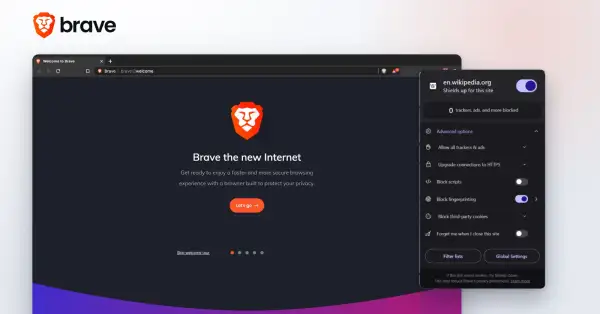
None of this is unique to T-Bank or new: the canvas hash recipe comes from open research dating back to 2014, and banks and online stores around the world run similar anti-fraud systems to tell a customer from a bot or a fraudster with a stolen password. The teardown shows how detailed this gets in practice. We previously covered how Brave started hiding the graphics card model from websites and how Russian apps check whether a VPN is on.
How to check your browser
- Open EFF's Cover Your Tracks: it shows how unique your browser fingerprint is
- Turn on your VPN and open a WebRTC test: the address there should match the VPN address in our IP check
- If WebRTC shows your real IP, enable WebRTC leak protection in your VPN app or turn WebRTC off in the browser
- Run the DNS leak test in the same network tools section
- Remember that clearing cookies and incognito mode do not change your fingerprint. Tor Browser and Mullvad Browser do the most to even it out by making all users look alike
The author points out a catch: the random canvas noise many anti-fingerprinting extensions add is itself noticeable. A real machine's fingerprint is stable, while a browser with such an extension produces a new one on every call. A third part, on how the fingerprint gets linked to an account at login, is promised later.