Brave hides the graphics card: sites no longer see your GPU model
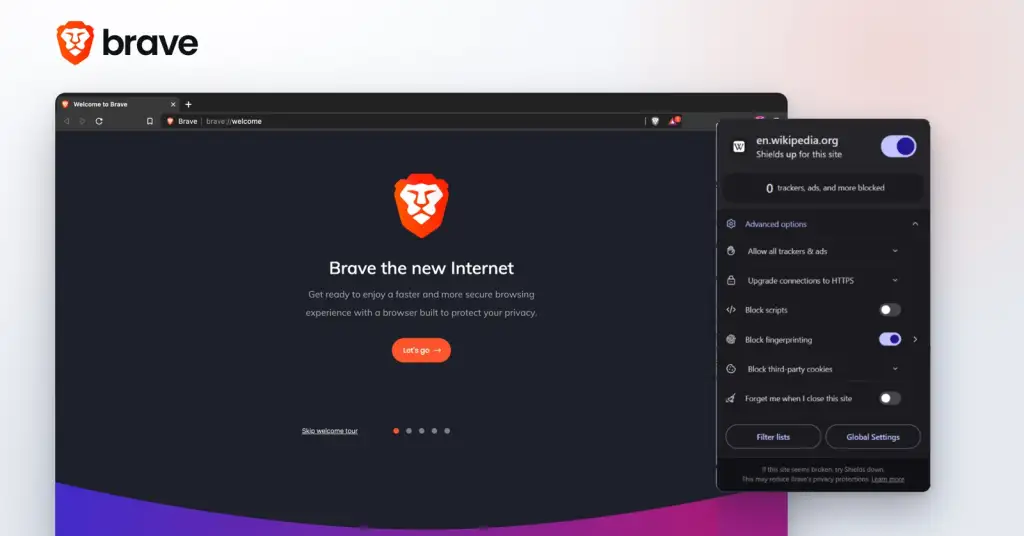
Photo: Скриншоты Brave: Hidden Lemon, Ranch9613 (Wikimedia Commons), логотип Brave Software / CC0
Brave has closed one of the last easy ways for a website to recognise your computer. From version 1.93, announced on 13 August, the browser no longer tells sites which graphics card and driver you have. The vendor and renderer strings that the graphics interface used to report are replaced by one generic value, identical for every Brave user, and the descriptors of the newer WebGPU interface are emptied out.
What exactly changed
Three things. The vendor and renderer of your graphics card are now reported as a single shared string, so on that signal every Brave user looks the same. The adapter description exposed by WebGPU is emptied. And the list of supported graphics extensions, which used to be a long and very individual list, now gets randomised noise, differently for each site and each session.
The company says the rollout is phased across desktop and Android, that sites which genuinely break can be exempted, and that a user can switch the graphics protections off on any single site. Randomising the extensions of WebGPU as well is listed as the next step.
Why a graphics card identifies you better than an address
A fingerprint is not one signal but a bundle: card model, driver version, screen, fonts, timezone, language. The bundle is stable and rare, so it works as a name. Change your address through a tunnel and the bundle does not change, which is the practical limit of a VPN: it hides where the connection comes from, not which machine is making it. That is why a browser closing a hardware signal matters to anyone who uses a VPN for anything more serious than watching a film.
What this does not fix
The other signals stay. Canvas rendering, audio processing, installed fonts, screen geometry, the exact set of languages: each is smaller than the graphics card, but they add up, and the sum is what trackers actually use. The change also arrives only where it was shipped, so it does not apply on iOS, and the WebGPU extension list is still to be handled.
There is a second-order trap worth naming. Protections that make you unusual can themselves become a signal: a browser that reports impossible values stands out as much as one that reports rare ones. The way out is what Brave chose here, making everyone report the same thing rather than making each person report something strange.
What to do about it
- Update the browser and leave the protections on by default rather than tuning them per site.
- Do not stack privacy extensions on top of each other. Several tools rewriting the same values usually produce a more unique combination, not a less unique one.
- Check yourself on a fingerprinting test page before and after an update, so the effect is visible rather than assumed.
- Remember what the tunnel is for. A VPN answers the question of where you are connecting from; the browser answers the question of what you look like. Both questions have to be answered to stay unremarkable.