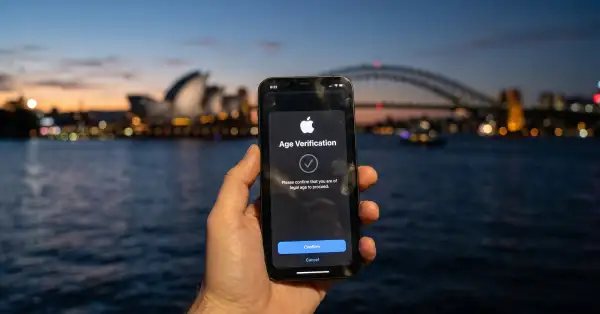
iOS 27 reroutes blocked requests over mobile data, past your DNS filter
A Pi-hole user updated to iOS 27, started seeing ads again, and worked out why only after burning 109 MB of mobile data downloading the very ads his own server had blocked. A day later another user reported the same thing at 130 MB. The cause has a name in Settings: Connectivity Assist, the feature that replaced Wi-Fi Assist in iOS 27.
On 22 September 2026, NordVPN said the same behaviour breaks its real-time anti-phishing protection, and named Cloudflare WARP, Pi-hole and Firewalla as tools hit by it too. The mechanism is the uncomfortable part. When a filter you installed deliberately refuses to resolve a domain, iOS can read that refusal as a broken Wi-Fi network and retry the request over mobile data through your carrier's DNS, where it succeeds.
In brief
- Connectivity Assist supplements weak Wi-Fi with cellular data and, when it decides something is wrong, sends requests to the mobile operator's DNS servers instead.
- A domain your DNS filter refuses to resolve looks like a failure, so the request gets retried over cellular and goes through.
- NordVPN says its real-time protection stops working and names Cloudflare WARP, Pi-hole and Firewalla; Pi-hole users reported the same days earlier.
- Apple's own support page tells people running an ad blocker to switch the feature off for that network. Apple has not commented on the wider problem.
What Connectivity Assist is
Apple describes it in one line: use cellular data in addition to Wi-Fi for a more reliable internet connection. It kicks in, in Apple's words, when Wi-Fi is slow or unusable, in places like your backyard or driveway, or at coffee shops, airports and sports venues. In iOS 27 it lives in Settings under Wi-Fi, and it replaces and supersedes Wi-Fi Assist, which used to sit in Cellular settings.
One detail gets lost in most coverage. The feature is not switched on for everyone by default. Apple's rule is that if Wi-Fi Assist was on when you updated, Connectivity Assist is on. If Wi-Fi Assist was off, it stays off until you turn it on. Since Wi-Fi Assist shipped enabled and most people never touched it, the practical outcome for most iPhones is the same, but it is worth checking rather than assuming.
Apple also documents three cases where the feature stands down: international roaming, cellular Low Data Mode, and some third-party apps that stream audio and video. The Low Data Mode exception turns out to be useful, because it gives you a second way to stop the behaviour without giving up the feature everywhere.
How a block turns into a successful request
DNS is the lookup step that turns a domain name into an address. Every filtering tool people run on a phone or a home network, from Pi-hole to a VPN app's phishing protection, hangs off that step: when the name belongs to a known ad server or a fake bank login page, the resolver refuses to answer with a real address, and the connection never starts.
From a distance, that refusal looks exactly like a network that is not working. According to NordVPN, iOS 27 treats it that way. Connectivity Assist sees requests failing on the current Wi-Fi network, concludes the Wi-Fi is unreliable, and moves the traffic to mobile data, where the resolver is your carrier's and has never heard of your blocklist. The page loads. Nothing on screen says that your filter was overruled, and the giveaway is the data counter.
"Deciding to treat deliberate filtering as a failed connection is a choice somebody made," Laura Tyrylyte, head of public relations at NordVPN, told TechRadar. "They could have written it the other way: if a user-installed DNS service decides to resolve or block the query, leave that judgement alone."
Which tools people say broke
The list spans hosted filtering, self-hosted filtering and commercial privacy apps, which is what you would expect if the trigger is the DNS layer itself rather than any one product.
| Tool | What it does | What is reported, and by whom |
|---|---|---|
| NordVPN real-time protection | Blocks phishing and scam domains at the DNS level | Stops working when the request moves to cellular (NordVPN, to TechRadar) |
| Cloudflare WARP | Routes traffic and filters malicious domains | Stopped blocking malicious sites after the update (NordVPN) |
| Pi-hole | Network-wide DNS blocker on your own hardware | Ads and trackers return, fetched over mobile data (user posts, 21 and 22 September) |
| Firewalla | Home firewall with DNS filtering | Same behaviour reported before NordVPN's statement (NordVPN) |
| NextDNS, AdGuard | Hosted DNS filtering | Reported broken unless the setting is turned off (user posts) |
Content blocking that lives inside the browser is a different mechanism and is not part of this problem, which is one reason a browser-level blocker is worth having alongside a network one: Firefox on the iPhone and its built-in ad blocker.
- Beta testers spot that Wi-Fi Assist has been renamed Connectivity Assist and moved from Cellular settings to Wi-Fi settings.
- iOS 27 and iPadOS 27 are released to everyone.
- A Pi-hole user reports 109 MB of ads and trackers pulled over cellular before identifying the cause.
- A second Pi-hole user reports the same pattern at 130 MB.
- NordVPN says the feature breaks its real-time protection and names Cloudflare WARP, Pi-hole and Firewalla.
- Apple does not respond to a request for comment.
Apple's own settings screen carries the warning
This is the detail that turns an awkward bug into an awkward decision. Apple's support page for Connectivity Assist ends the instructions for turning it on and off with this: if you want to always stay on Wi-Fi for a specific router configuration, for example your ad blocker, you can turn off Connectivity Assist for that particular network. The same caution appears under the toggle on the phone.
NordVPN's reading is blunt. "Apple knew the feature interferes with DNS-based filtering before it shipped," Tyrylyte said. "Their own support page tells people running an ad blocker to switch Connectivity Assist for that network. Somebody spotted the conflict, it just didn't get fixed." She also pointed out that Apple engineers have suggested alternatives in developer forums, but they only work if people configure DNS settings themselves.
There is a reasonable version of Apple's side, even unstated. A phone that silently keeps working on a flaky café network is a real benefit for the overwhelming majority of users, who run no filter at all. The complaint is not that the feature exists, it is that a filter the owner installed deliberately gets overridden without a word, and that the only notice is a sentence in a support article aimed at people who already suspect something.
What to do on your iPhone
Five minutes of settings work, and the checks matter more than the toggle, because the failure is silent by design.
- Settings, Wi-Fi, scroll to the bottom: Connectivity Assist is off, or off for your home network specifically
- Your cellular data usage since 14 September looks normal rather than unexplained
- A domain you know your filter blocks still fails when Wi-Fi is off and you are on mobile data
- Low Data Mode is considered as an alternative, since Apple says Connectivity Assist is not used in that mode
- If your VPN app does the filtering, you have decided whether its always-on mode is what you actually want
- Whoever else uses your Wi-Fi, especially children's devices, has had the same check done
Turning it off is not free. On a weak network your phone will now sit there failing instead of topping itself up with the cellular connection, which is exactly the annoyance the feature was built to remove. Per-network is the better setting for most people: leave it on generally, switch it off for the home network where the filter actually lives.
The pattern underneath
A phone's operating system sits below everything a user installs, so any networking decision it makes overrides protections the owner chose. That is not unique to Apple and not new. NordVPN points to 2023, when flaws in Apple's VPN API disrupted its service and users again had to choose between an Apple feature and their own protection. "Apple makes the call, and we find out what the call was when the release lands," Tyrylyte said.
The practical lesson is the same everywhere: protections that live at one layer can be stepped around at a lower one, and the only way to know is to test rather than to trust the toggle. It is the same reason a privacy setting inside an app tells you little about what the app actually sends: 18 of 40 popular apps record which sites you open.
Is Connectivity Assist on for everyone after updating?
Does this mean all my traffic leaves the VPN tunnel?
Does a VPN fix the problem?
What does turning it off cost me?
Will Apple change this?
• Apple's iOS 27 found to break NordVPN's scam and phishing protection - TechRadar
• About Connectivity Assist - Apple Support
• iOS 27 NordVPN Issue Affects Real-Time Phishing Protection - TechNadu
• iOS 27's Wi-Fi Settings Include Rebranded 'Connectivity Assist' Feature - MacRumors
• Apple Announces iOS 27 Release Date - MacRumors
• Pi-hole user report, 21 September 2026 - Mastodon
• Pi-hole user report, 22 September 2026 - Mastodon