Attackers Opened 5,000 Dropbox Accounts Without a Password
About 5,000 Dropbox accounts were opened by people who had neither the password nor access to the owner's mailbox. Dropbox confirmed the incident this week after Bloomberg reported it, and told affected users what went wrong: a sign-in bridge to Lenovo that most of them never knew existed. Unauthorized access ran from August 4 to 21, and files were viewed or downloaded in fewer than a third of the affected accounts. The one thing that stopped the attack was two-factor authentication.
The login nobody set up
Dropbox accepted a verified Lenovo ID as an identity provider. In plain terms, Lenovo could vouch for who you are and Dropbox would let that person in, the same single sign-on convenience behind every "continue with" button. The catch in this case is that the account holder did not have to arrange anything. The bridge existed on Dropbox's side for anyone whose email matched.
Where it broke
The flaw was not in Dropbox's login. It was in how Lenovo confirmed that an email address belonged to the person registering. In Dropbox's own words to affected users, an issue with Lenovo's email verification process allowed an unauthorized party to register a Lenovo ID using your email address and then use that Lenovo ID to log into the Dropbox account associated with that email address.
Read that once more, because the order matters. The attacker created a new identity in someone else's name at company A, then presented it at company B, which trusted A. The victim never had a Lenovo ID and never needed one. Their email address was the only thing that had to match.
Two-factor authentication is the reason this is not a bigger story
Only accounts without Dropbox's own two-factor authentication were exposed. If the second factor was on, the borrowed Lenovo identity got someone to the door and no further. That is an unusually clean demonstration of what the second factor is for: it is the check that does not care how convincing the first one looked, which is exactly the argument we made in our plain guide to two-factor codes.
What the two companies did
- Sessions killed: Dropbox expired every session that had been authenticated through a Lenovo ID.
- Bridge removed: the links between Lenovo IDs and Dropbox accounts were deleted.
- Password now required: reaching a Dropbox account through Lenovo now demands the Dropbox password as well.
- Lenovo's account: the company called it a legacy integration between Lenovo ID and Dropbox that could be used to improperly authenticate certain Dropbox accounts, said its own customers were not affected, and described the fix as collaborative. Its investigation continues.
Dropbox also notified data protection regulators and emailed the users whose accounts were reached.
The pattern is bigger than these two companies
The underlying mistake has a name in security work: treating an email address as proof of identity across a trust boundary. Service B accepts service A's word that an address belongs to a person, and now B's security depends on how carefully A verifies email. The same shape has produced recent flaws in other federated login systems, and it will produce more, because the convenience is genuinely useful and the trust is invisible to the user.
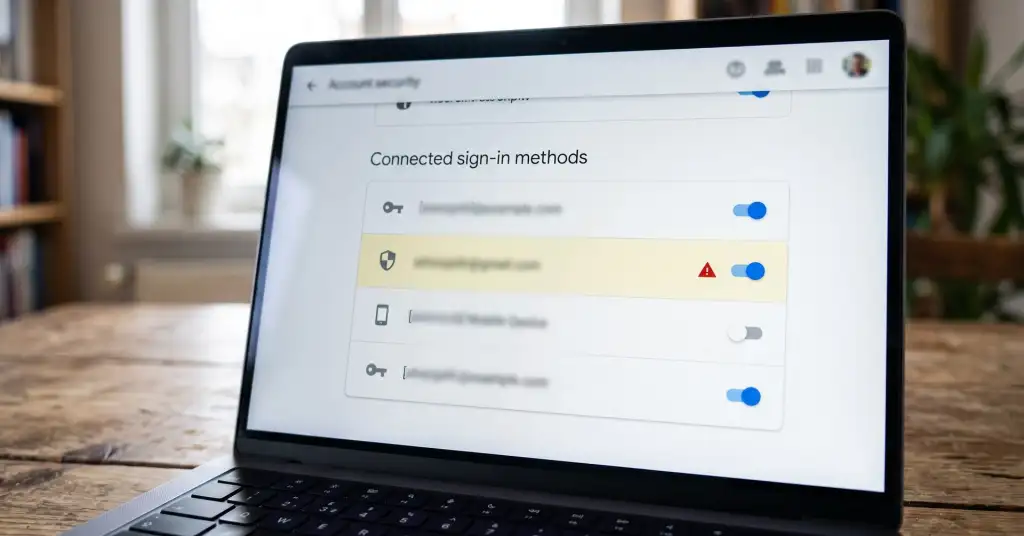
What you can do about it is smaller but real. In each important account, look at the security settings for a list of connected identities and sign-in methods, and remove any provider you do not use on purpose. Then turn on a second factor everywhere the account matters. The second factor is what keeps somebody else's broken verification from becoming your problem.