Fake Chrome update reads your Telegram and WhatsApp chats
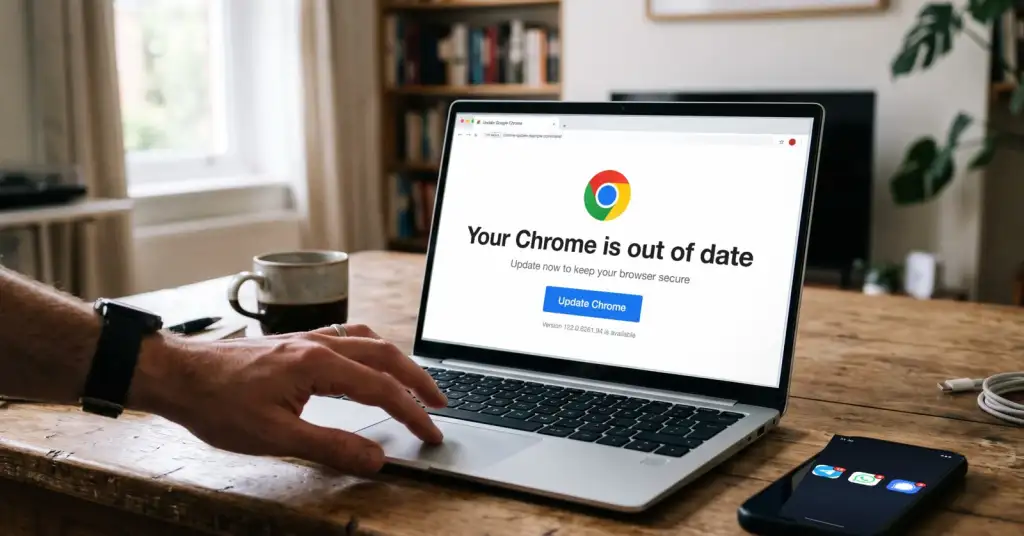
A fake Chrome update has been putting spyware on Android phones in more than 26 countries. Positive Technologies published its analysis on 17 August: the program, named DragonDoll, arrives from a page that copies the official Chrome site, asks for one Android permission, and from that moment reads your chats in Telegram, WhatsApp and Signal straight off the screen. Researchers collected around 150 samples in two months. The part worth keeping is not the name of the malware but the rule it relies on you not knowing: on Android, Chrome is never updated from a website.
A browser update offered by a web page is always fake
Chrome on Android is updated by Google Play, in the background, without asking you to download anything. The browser itself never hands you a file to install, and neither does any other app that came with the phone. So a page saying your Chrome is out of date and offering the update as a download has exactly one purpose, no matter how well it is drawn.
In this campaign it was drawn well. The page copied the layout of the official Chrome site and switched language automatically based on the language of the browser that opened it, with 34 localisations including Russian, Ukrainian, Arabic, Chinese, Korean, Hebrew and Persian. It even changed its wording depending on whether the file had already been installed. The addresses had nothing to do with Google: names like datewithmealways[.]site and digitaladstracking[.]com hosted the same trap.
One permission is the entire attack
What the installer wants is the accessibility service. On Android that setting exists for people who cannot see the screen or tap precisely, so by design it can read everything drawn on the display and tap on your behalf. Handing it to a random app is the digital equivalent of letting a stranger sit next to you and operate the phone while looking over your shoulder.
With that switch on, DragonDoll reads chat lists, contacts, message text, timestamps and sender names in Signal and WhatsApp, and in Telegram it also intercepts the content of notification pop-ups. For Viber and everything else it simply scrapes the visible text of the screen. The same channel gives it keystrokes including password fields, screenshots, fake windows drawn over real apps to capture what you type into them, SMS reading and sending, calls, contacts and remote control of the device. Researchers counted more than fifty commands the operator can send.
This is why the encryption in your messenger does not enter the picture. Signal and WhatsApp protect a message in transit between two phones. DragonDoll is standing on one of those phones, reading the message after it has been decrypted and displayed, exactly as you read it.
Check your phone tonight
- Open Settings, then Accessibility, and find the list of installed apps that have access. On most phones it sits under "Downloaded apps" or "Installed services". Anything you did not deliberately switch on should be switched off. A browser, a game or an "update" has no business being there.
- Go to Settings, Apps, Special app access, Install unknown apps. Revoke it for everything, especially for the browser and the messengers. That single toggle is what allows a web page to install a program.
- In the same Special app access menu, check Notification access. An app that can read every notification can read one-time codes and message previews without touching the messenger itself.
- Open Settings, Security, Device admin apps. On a personal phone this list is usually empty or holds only Find My Device. A device admin is much harder to uninstall, which is precisely why malware asks for it.
- Run a scan in Google Play: your avatar in the top right, then Play Protect, then Scan. It is not a full antivirus, but it recognises known families.
- Sort your installed apps by install date and look at the newest ones. Anything you do not recognise or do not remember installing goes away.
What does not help here. A VPN protects the route your traffic takes; this program reads the message on your own screen, before it is ever sent. End-to-end encryption is in the same position. Closing the app changes nothing either: the spyware registers itself to wake up after a reboot, when the screen turns on, when the network changes and when an SMS arrives.
If you have already installed it
- Turn on airplane mode. The program takes its commands from a control server, and cutting the network stops the conversation.
- Boot into safe mode: press and hold the power button, then long-press "Power off" until the phone offers safe mode. Third-party apps do not run there, which makes removal possible.
- Take away device admin rights first, in Settings, Security, Device admin apps, then uninstall the app itself. If it refuses to disappear, a factory reset is the reliable answer.
- From another device, change the passwords for your mail, bank and messengers. In Telegram open Settings, Devices and terminate all other sessions; in WhatsApp check Linked devices and log out anything unfamiliar.
- Watch your bank statements for small test payments, and treat any card PIN or banking password you typed on that phone as known to someone else.
Who it was aimed at
Positive Technologies first met this family in spring, while investigating attacks on users in Saudi Arabia, and then found the same code hitting people in Russia, China, Korea and across the Middle East and North Africa. The samples they collected span 6 March to 6 May 2026 and include two versions of the program, 9.3 and 9.4. Stolen data went encrypted to a control server hosted in Russia.
A campaign that speaks 34 languages is not aimed at a person, it is aimed at whoever clicks. That is the useful way to read this story: no one picked you, they picked the moment when a page told you your browser was out of date and you believed it.