24 Billion Passwords Leaked in Open Elasticsearch

Security researchers at Cybernews discovered an open Elasticsearch server containing 8.3 terabytes of stolen credential data - approximately 24 billion records drawn from 36 separate sources. The dataset, found in late June 2026, combines fresh infostealer logs, Telegram channels trading stolen card numbers, and direct exports from compromised corporate databases. A significant portion of the records came from active, live servers at the time of collection. VPN account credentials, SaaS login pairs, and banking passwords appear throughout the dataset.
What was found and where it came from
Infostealer malware is a category of software that silently harvests saved browser passwords, session cookies, autofill data, and cryptocurrency wallet files from infected machines. When installed - typically through phishing emails, cracked software, or malicious browser extensions - an infostealer transmits everything it finds to a command-and-control server within seconds. The operator then sells the resulting logs on Telegram channels or dark web marketplaces.
The Cybernews dataset aggregates 36 such sources into a single searchable index. The 24 billion figure includes duplicates, but researchers identified a substantial share of unique credential pairs - email addresses matched with plaintext or weakly hashed passwords. The presence of live-server exports suggests some of the data was current at the time the open Elasticsearch instance was indexed.
Why infostealer data is more dangerous than standard breaches
In a conventional data breach, attackers steal a company's database. Those credentials are typically hashed, may be months or years old, and represent what users entered when they registered. The ShinyHunters group exposed 455,000 University of Nottingham student records through this model - names, emails, and hashed passwords from a single institution's database.
Infostealer data works differently. The malware captures passwords as they are typed or retrieved from the browser's saved-credential store. The output is a plaintext username-password pair, current as of the infection date. There is no hashing to crack. The Fortibleed incident exposed 86,000 Fortinet VPN credentials in plaintext through a similar mechanism - device compromise rather than database theft.
This means that even if you have always used strong, unique passwords, an infostealer infection on any one of your devices can expose every credential stored in your browser at that moment. Password strength is irrelevant if the password is captured before encryption ever occurs.
How to check if your credentials are in the dataset
Several services allow you to check whether your email address or specific passwords have appeared in known breach and leak datasets. None of these services require you to enter your actual password - they use cryptographic techniques to check against hashed versions only.
- Have I Been Pwned: The most established free service. Enter your email to see which breaches it appeared in, or check individual passwords using k-anonymity hashing - your full password is never transmitted. The site now includes a dedicated "Stealer Logs" category that specifically covers infostealer-sourced credentials.
- Cybernews Personal Data Leak Checker: Run by the same researchers who found this dataset. Checks your email against their own accumulated database of leaked records, including the 24-billion-record set described in this article.
- Firefox Monitor: Mozilla's free service, powered by Have I Been Pwned data. Provides ongoing monitoring - alerts you by email if your address appears in future breaches.
- Google Password Checkup: If you save passwords in Chrome, Google compares them against known breached credential pairs and warns you of matches in the Security Checkup section. Does not send your plaintext passwords to Google servers.
What to do if your data appears
If any of the above services show a match for your email or passwords, the response should be immediate and systematic:
- Change the exposed password immediately on the affected service. If you used the same password elsewhere, change it on every other service as well.
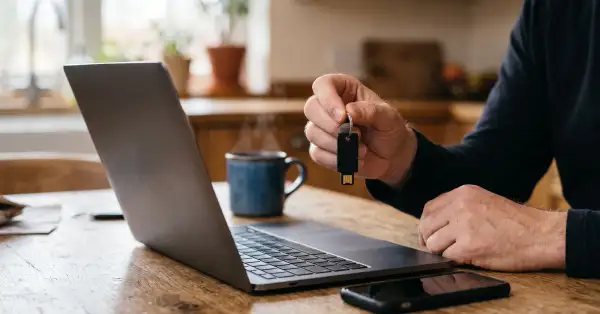
- Enable two-factor authentication (2FA) on every account that supports it. Even if an attacker has your correct password, a TOTP code or hardware key prevents access. Authenticator apps (Google Authenticator, Authy, Aegis) are stronger than SMS-based 2FA.
- Switch to a password manager that generates unique, random passwords for each service. If you are not reusing passwords, a single credential exposure is contained to one account. Bitwarden, 1Password, and KeePassXC are established options.
- Check your devices for infostealer infections. If a password was captured by malware rather than stolen from a company's database, changing the password does not remove the malware. Run a full scan with an updated antivirus tool and review recently installed browser extensions.
- Revoke active sessions on critical accounts (email, banking, cloud storage). Most platforms offer a "sign out all other sessions" option in security settings.
What actually protects your accounts
A VPN encrypts your internet traffic and prevents network-level interception. It does not protect against infostealer malware, which operates entirely on your device before any data reaches the network. The Carnival Cruises breach exposed passport data from 6 million travelers through server-side compromise - a different attack surface from infostealer infection, but with the same practical effect on victims.
The most effective layered defense against credential theft combines: a password manager generating unique credentials per service, hardware or app-based 2FA on every account that supports it, and regular checks against breach databases. A VPN adds network-layer protection - preventing traffic interception on untrusted networks - but cannot compensate for reused passwords or an infected device. All three layers are complementary.